How to Deposit Money on ExpertOption
Writen By

Online Trading Platform Researcher and Guide Writer
Researches broker platforms and trading account Systems.
Depositing funds into your ExpertOption account is the first step toward participating in online trading. As a globally recognized trading platform, ExpertOption offers a user-friendly deposit process that supports multiple payment methods to cater to users worldwide.
Whether you're a beginner or a seasoned trader, funding your account is quick, secure, and convenient. This guide will walk you through each step of the deposit process to help you get started with confidence.

How do I make a Deposit on ExpertOption
You are welcome to deposit using a debit or credit card (VISA, MasterCard), Internet Banking, an e-wallet like Perfect Money, Skrill, WebMoney, or Crypto.The minimum deposit is 10 USD. If your bank account is in a different currency, the funds will be converted automatically.
Many of our traders prefer using E-payments instead of bank cards because it’s faster for withdrawals.
And we have good news for you: We don’t charge any fees when you make a deposit.
Deposit on ExpertOption using Bank Cards (VISA/ MasterCard)
1. Visit the ExpertOption.com website or mobile app.2. Log in to your trading account.
3. Click on the “Finances” on the left upper corner menu and click "Deposit".
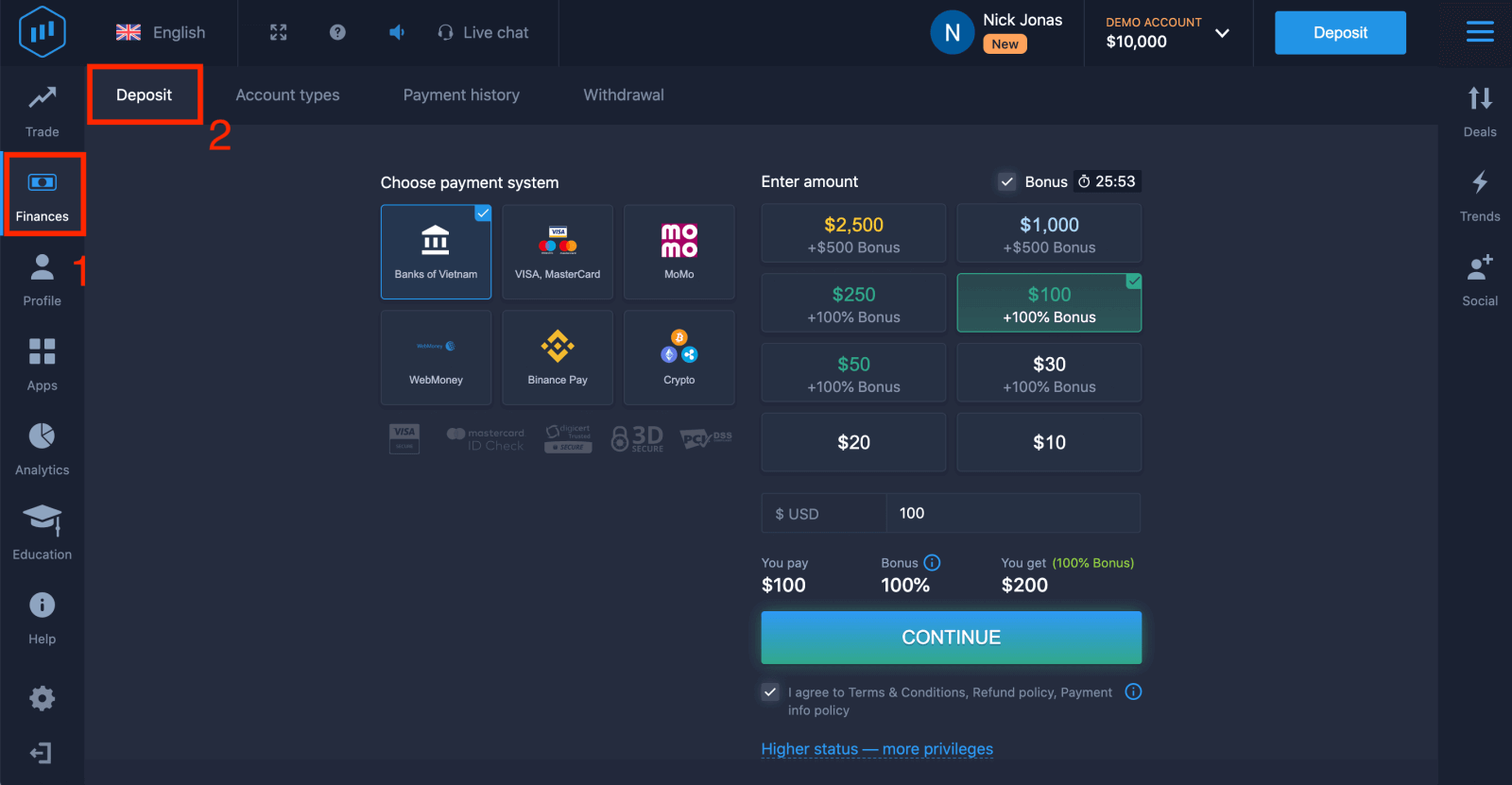
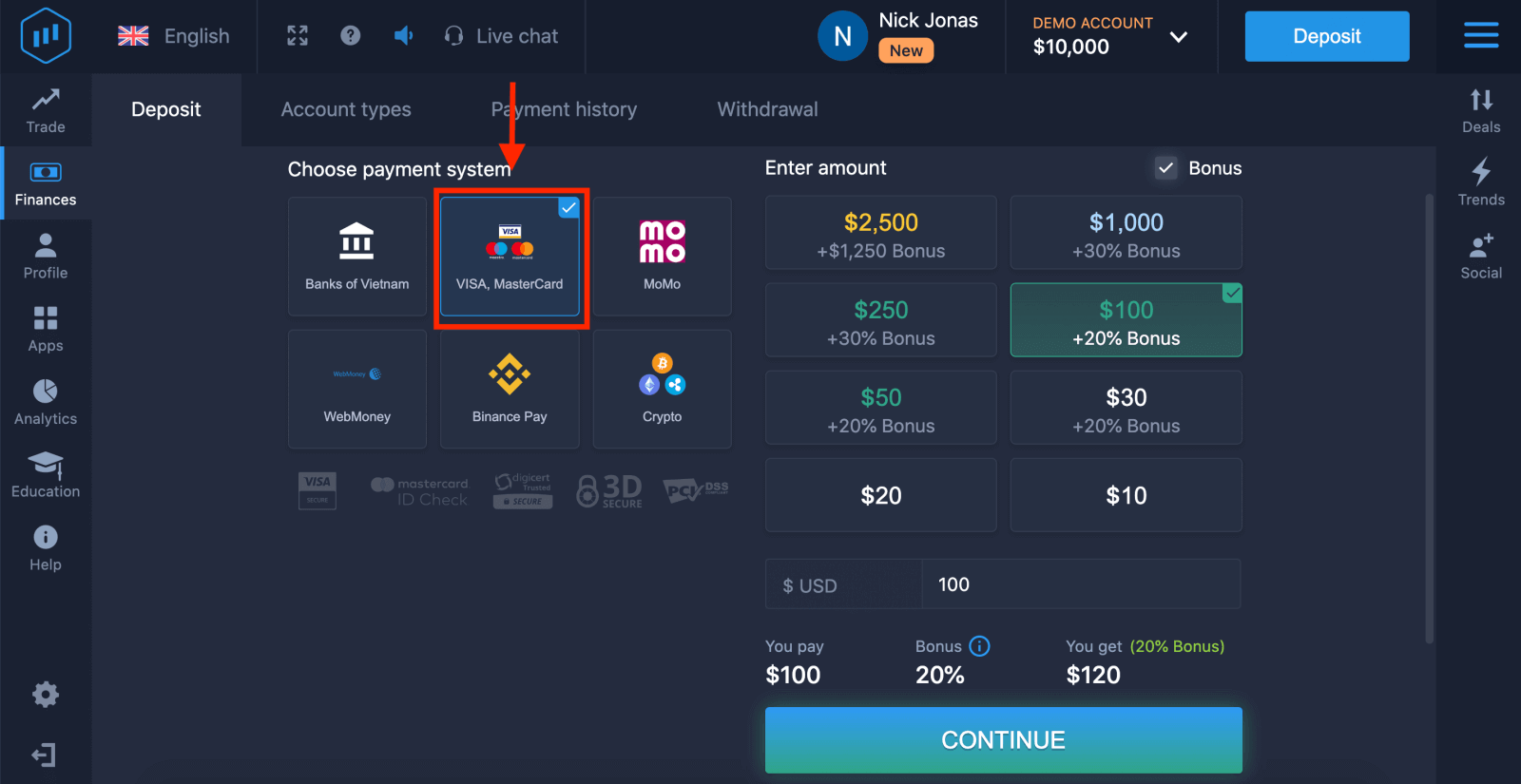
4. There are several ways to deposit funds into your account, you can make deposits via any debit and credit card. The card must be valid and registered in your name and support international online transactions. select "VISA / MasterCard".
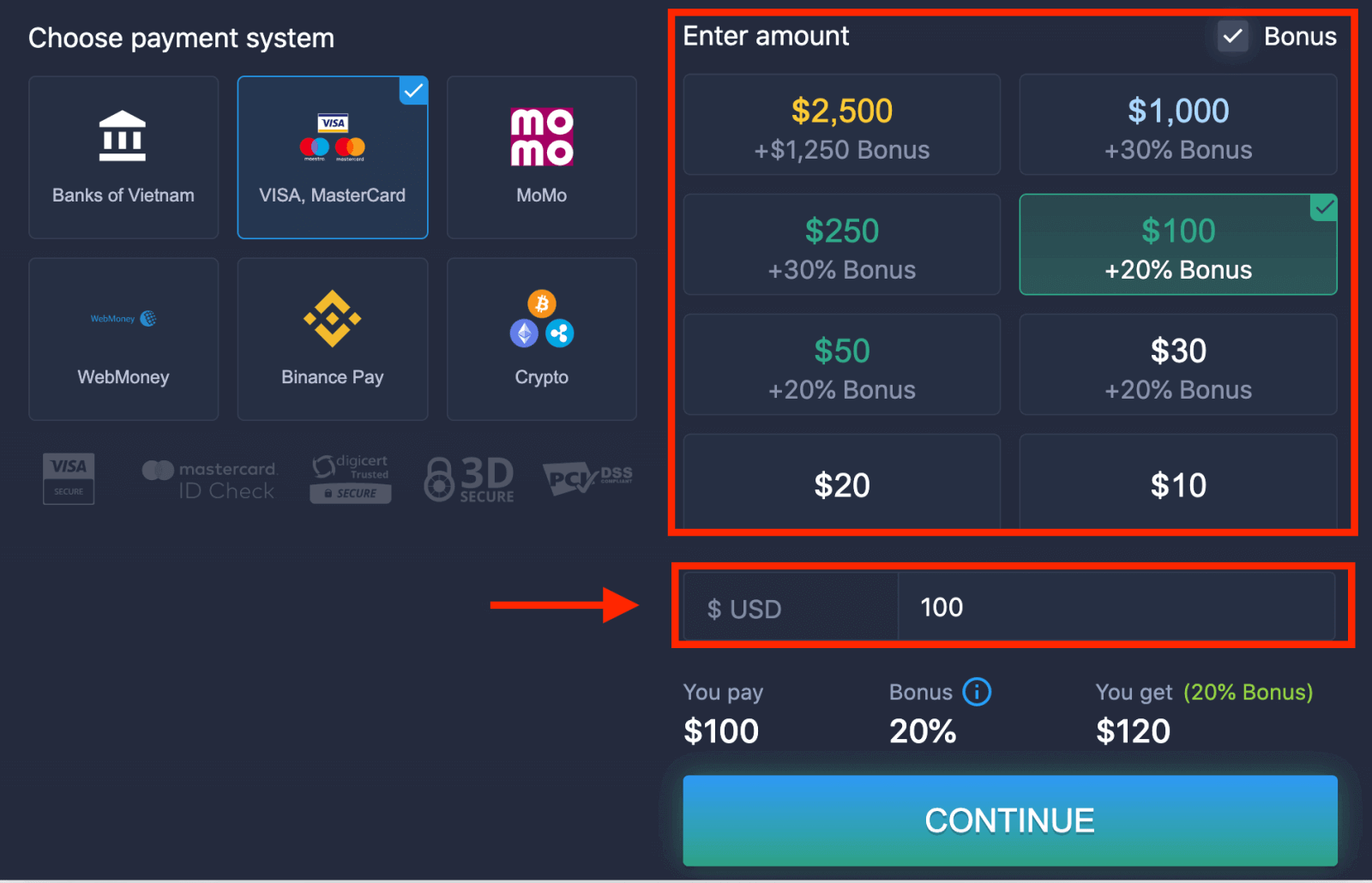
5. You may enter a deposit amount manually or select one from the list.
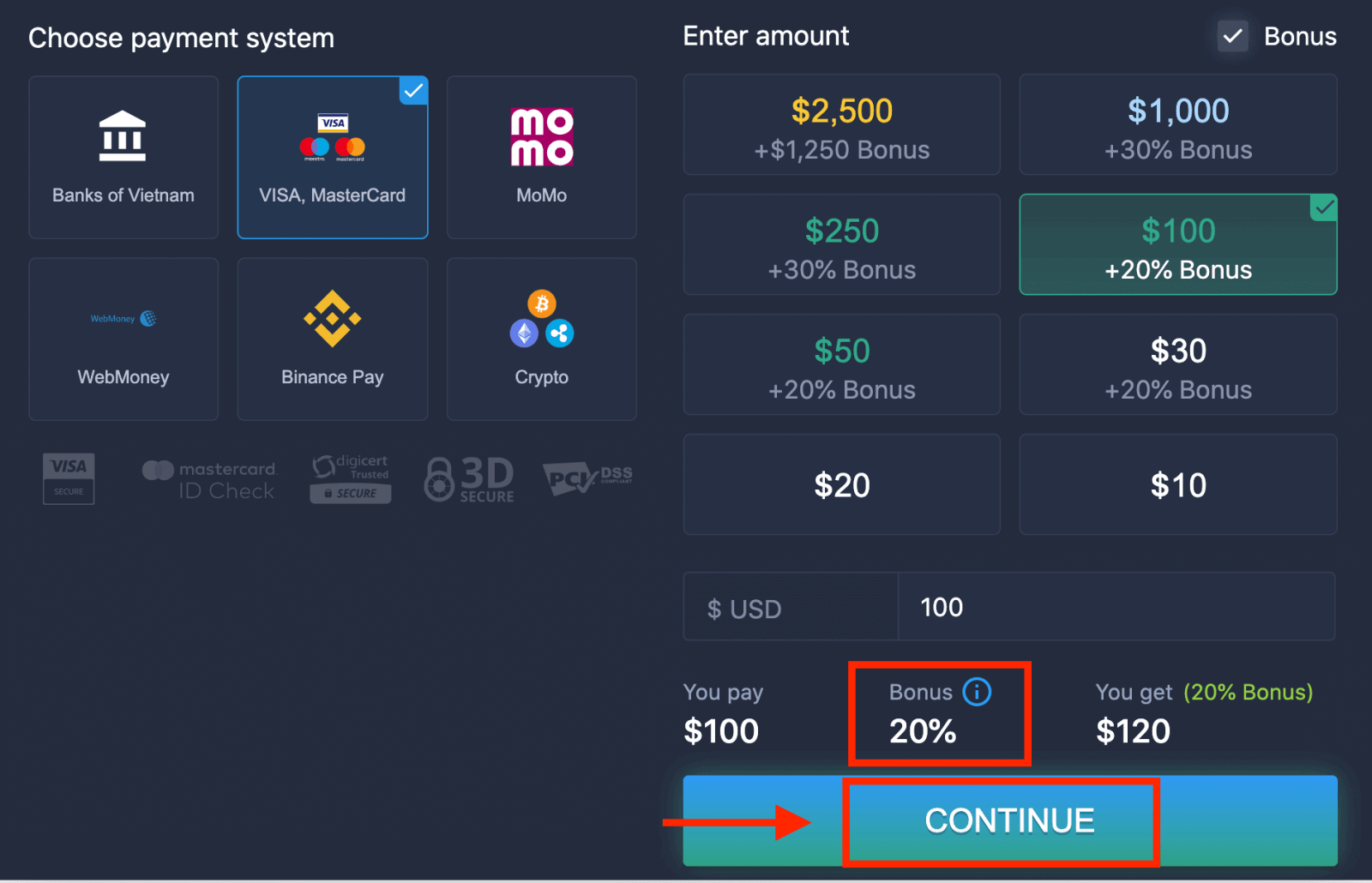
6. The system may offer you a deposit bonus, take advantage of the bonus to increase the deposit. After that, click "CONTINUE".
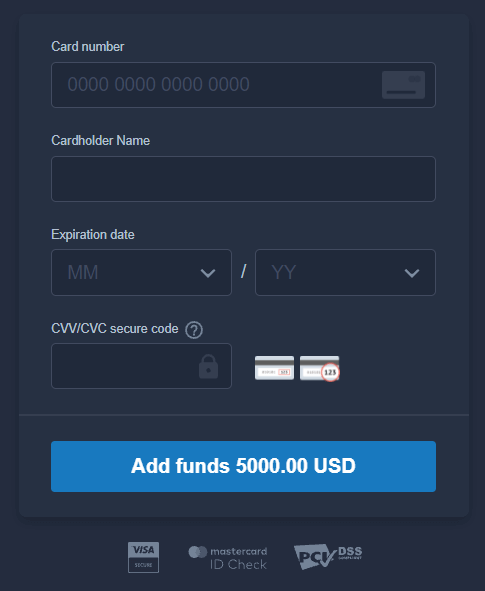
5. You will be redirected to a new page where you will be requested to enter your card number, cardholder name, and CVV.
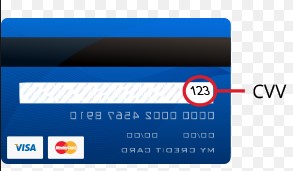
The CVV or СVС code is a 3-digit code that is used as a security element during online transactions. It is written on the signature line on the back side of your card. It looks like below.
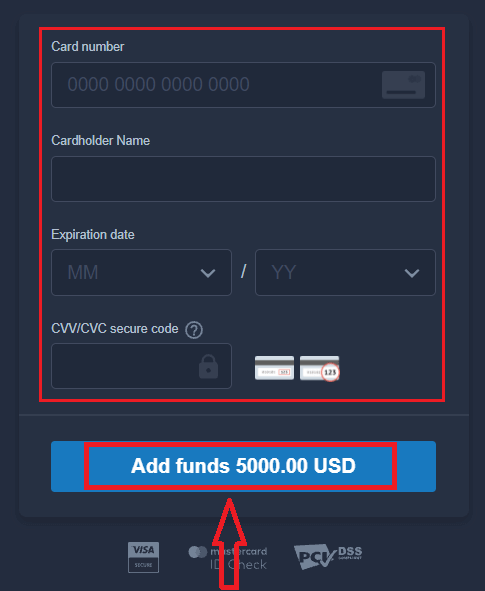
To complete the transaction, press the "Add funds ..." button.
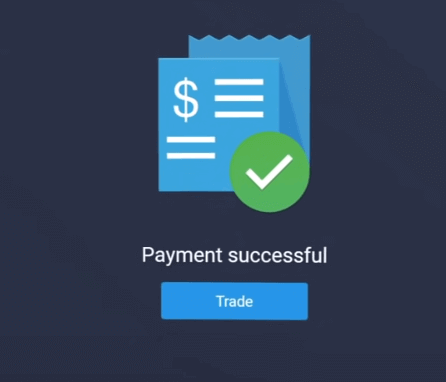
If your transaction has been completed successfully, a confirmation window will appear, and your funds will be credited to your account instantly.
Deposit on ExpertOption using Internet Banking
1. Visit the ExpertOption.com website or mobile app.2. Log in to your trading account.
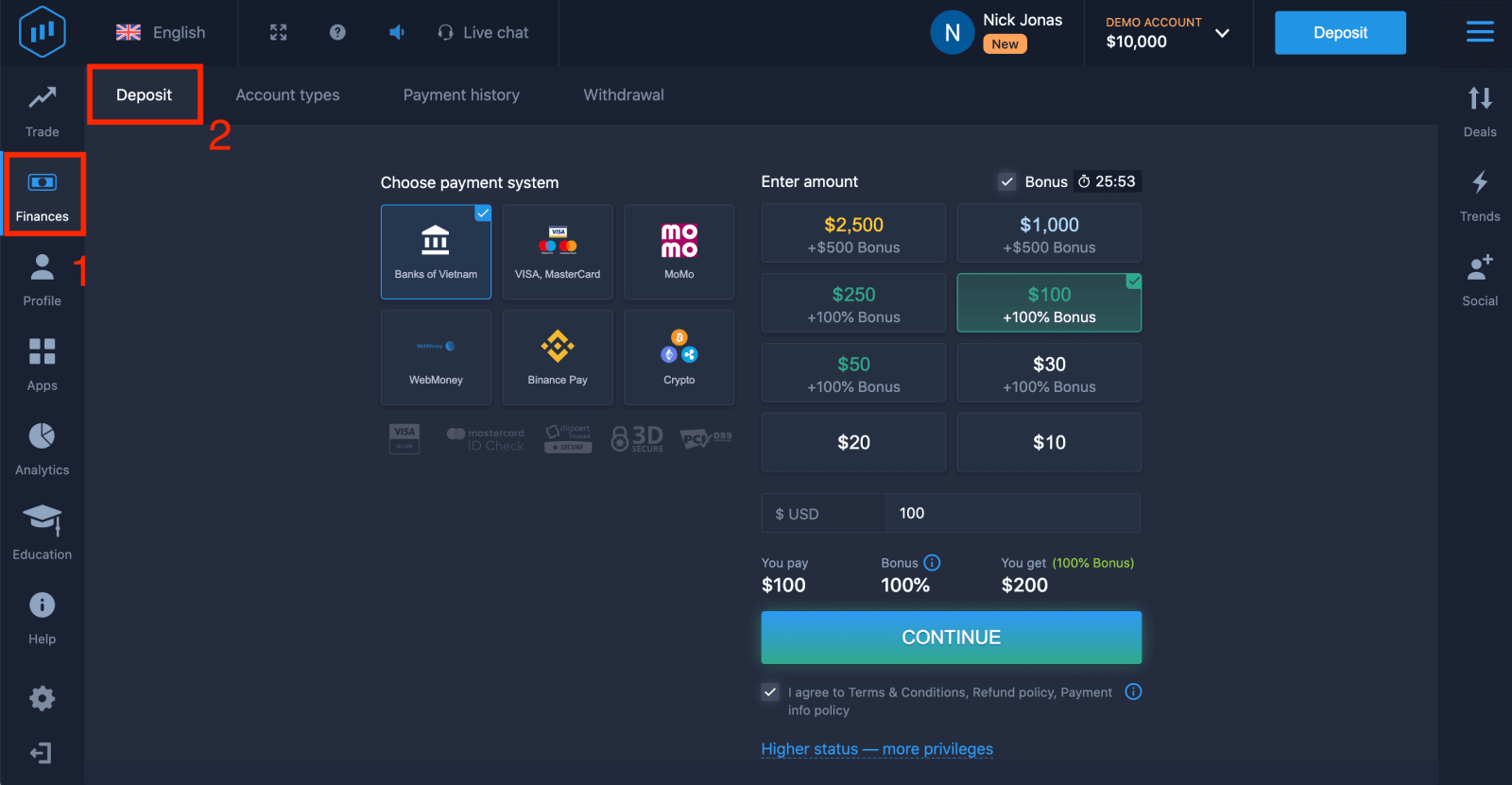
3. Click on the “Finances” on the left upper corner menu and click "Deposit".
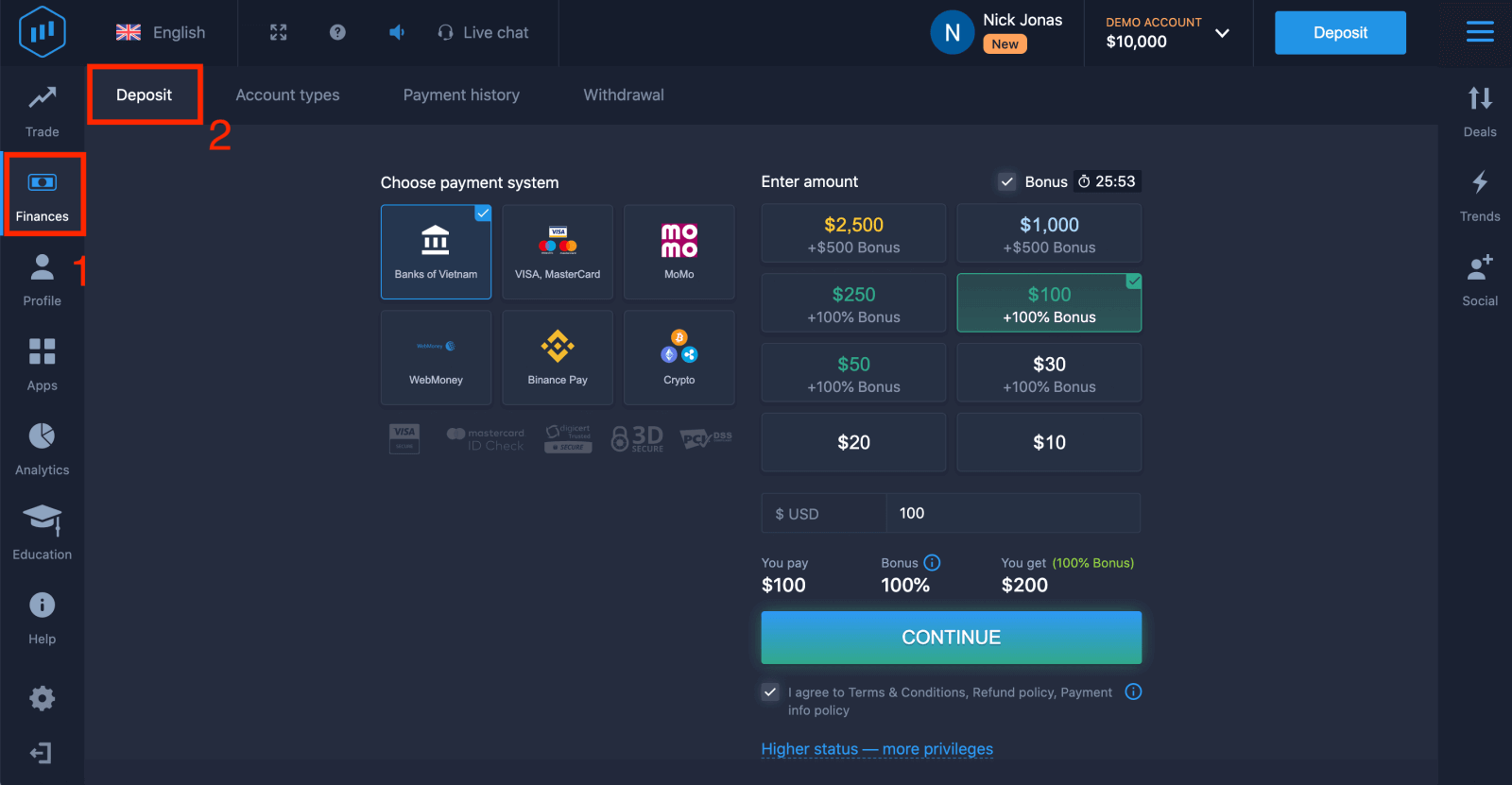
4. Select "Banks of...".
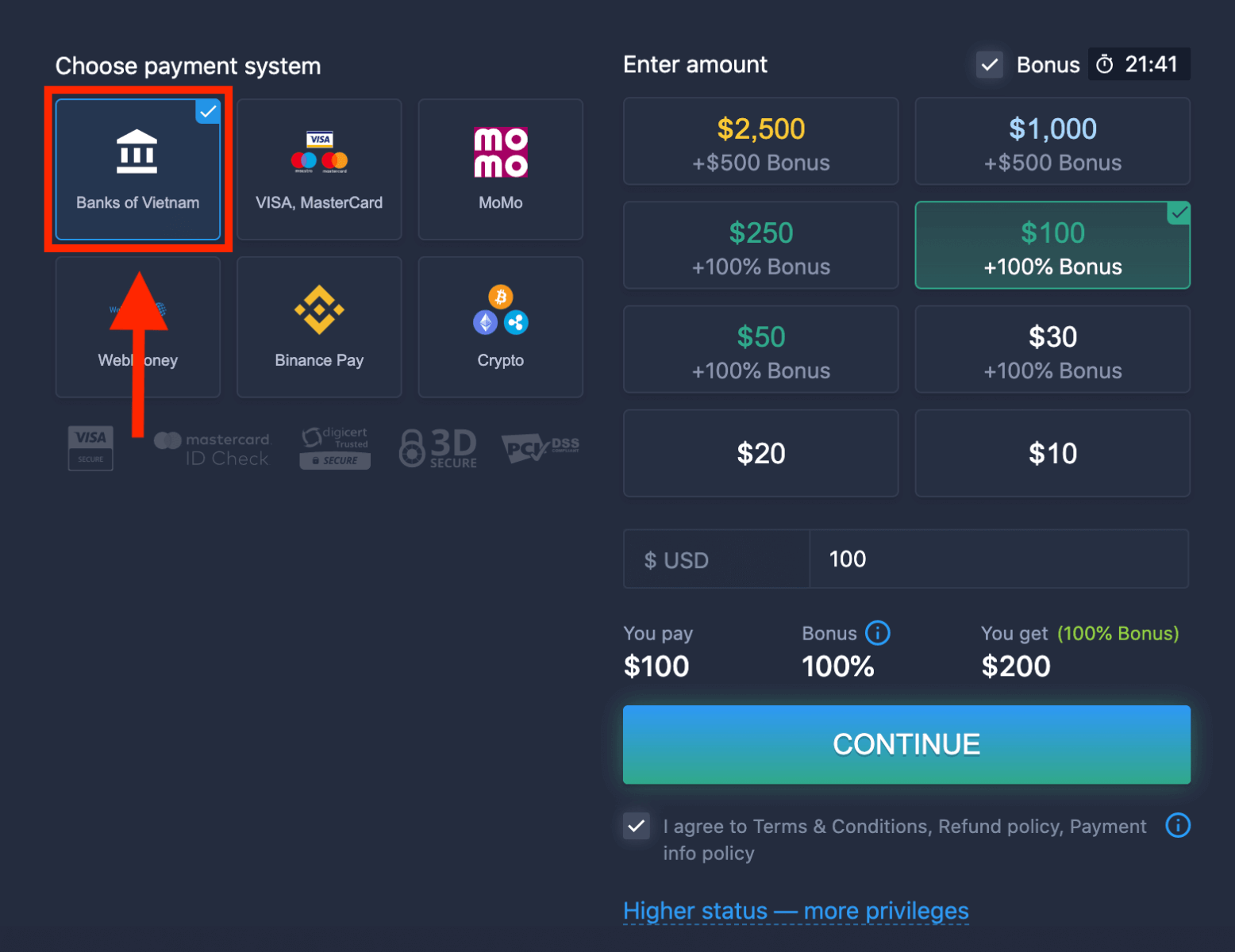
5. You may enter a deposit amount manually or select one from the list.
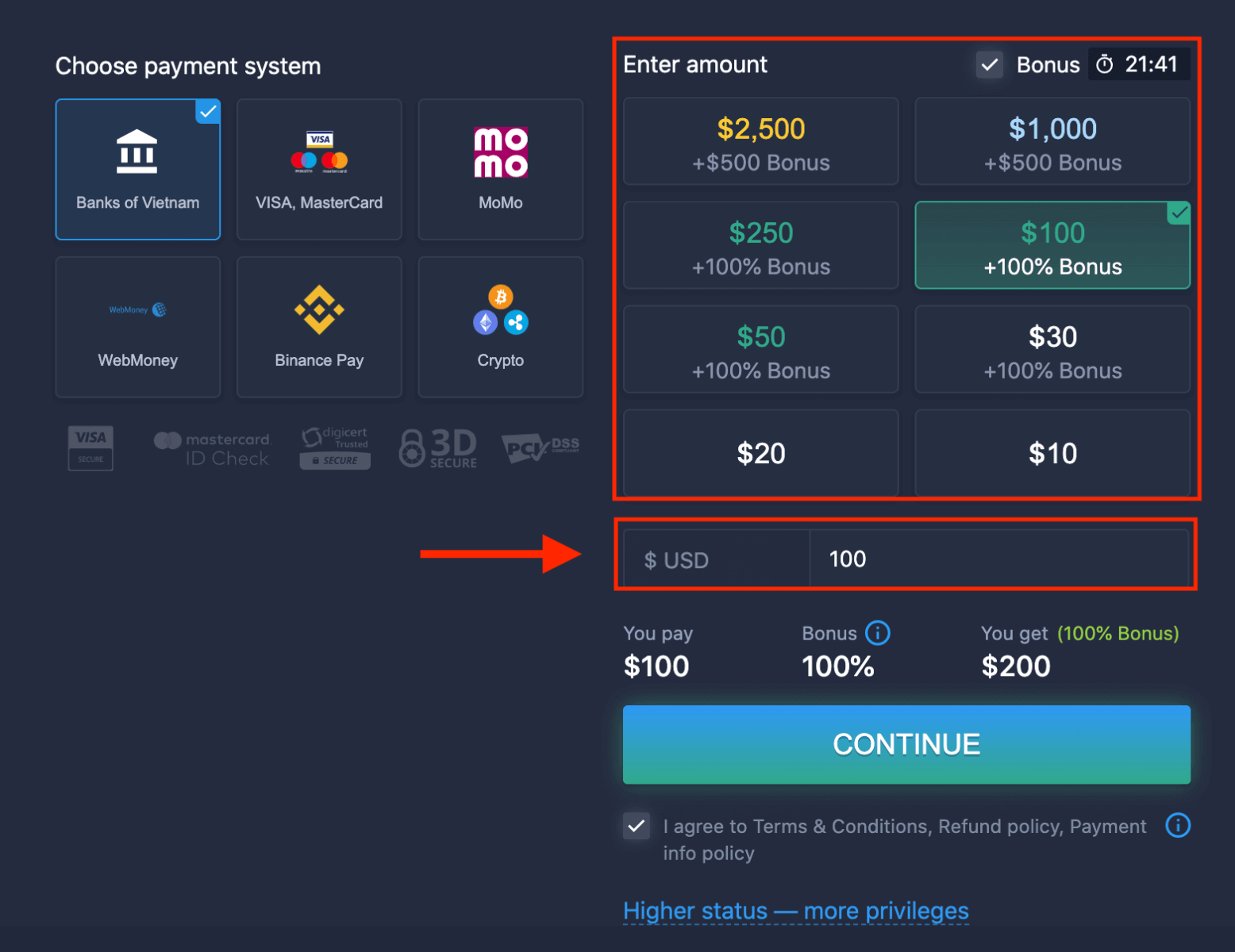
6. The system may offer you a deposit bonus, take advantage of the bonus to increase the deposit. After that, click "CONTINUE".
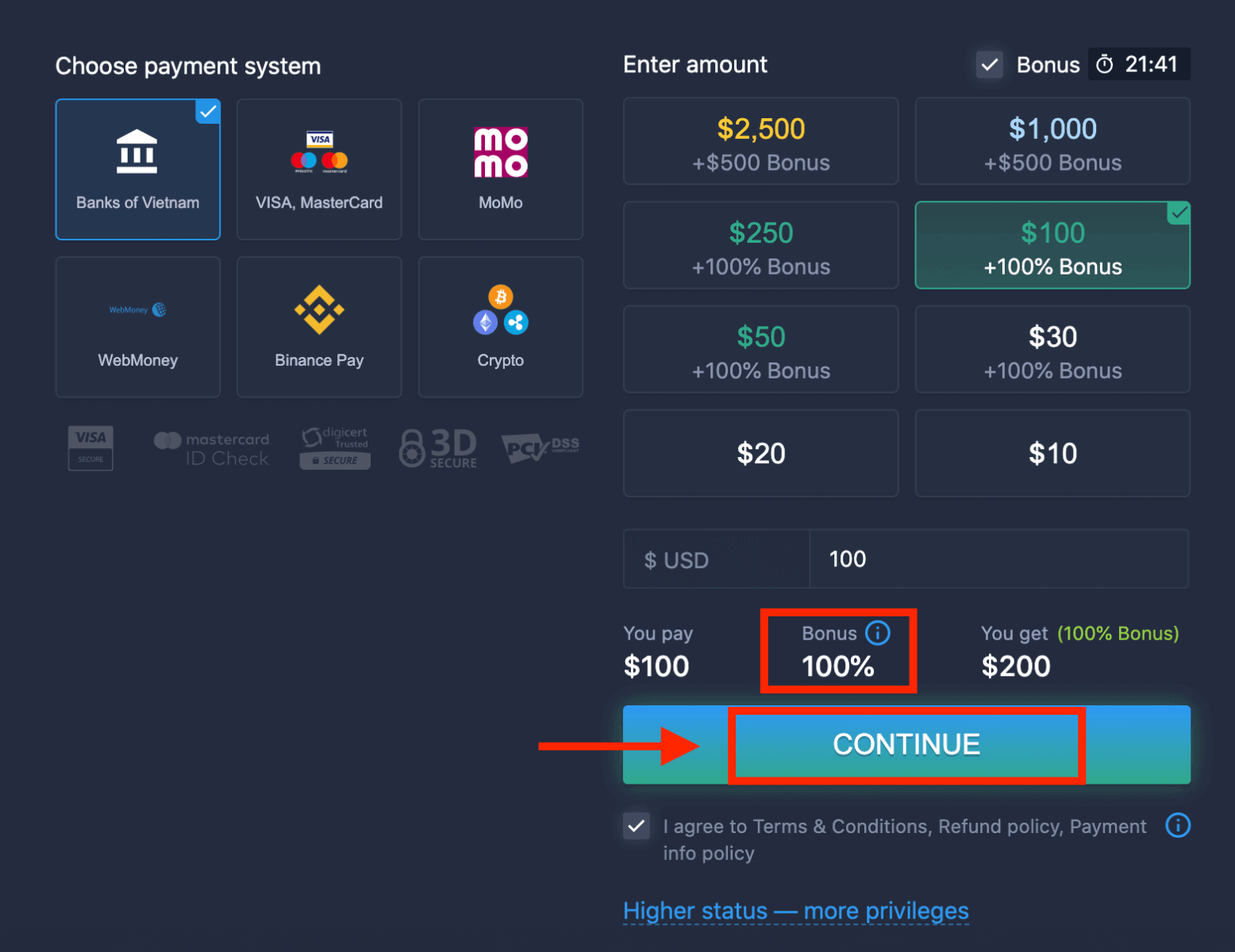
5. You will be redirected to a new page where you need to choose your bank.
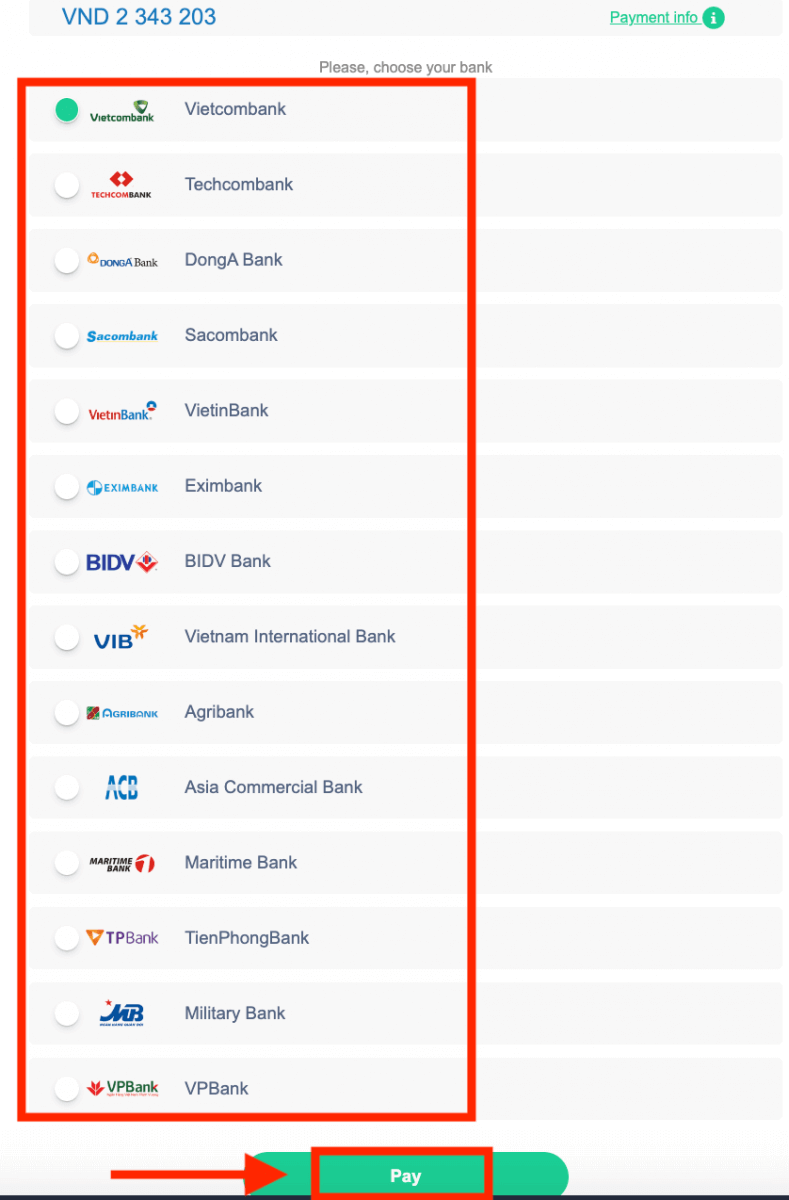
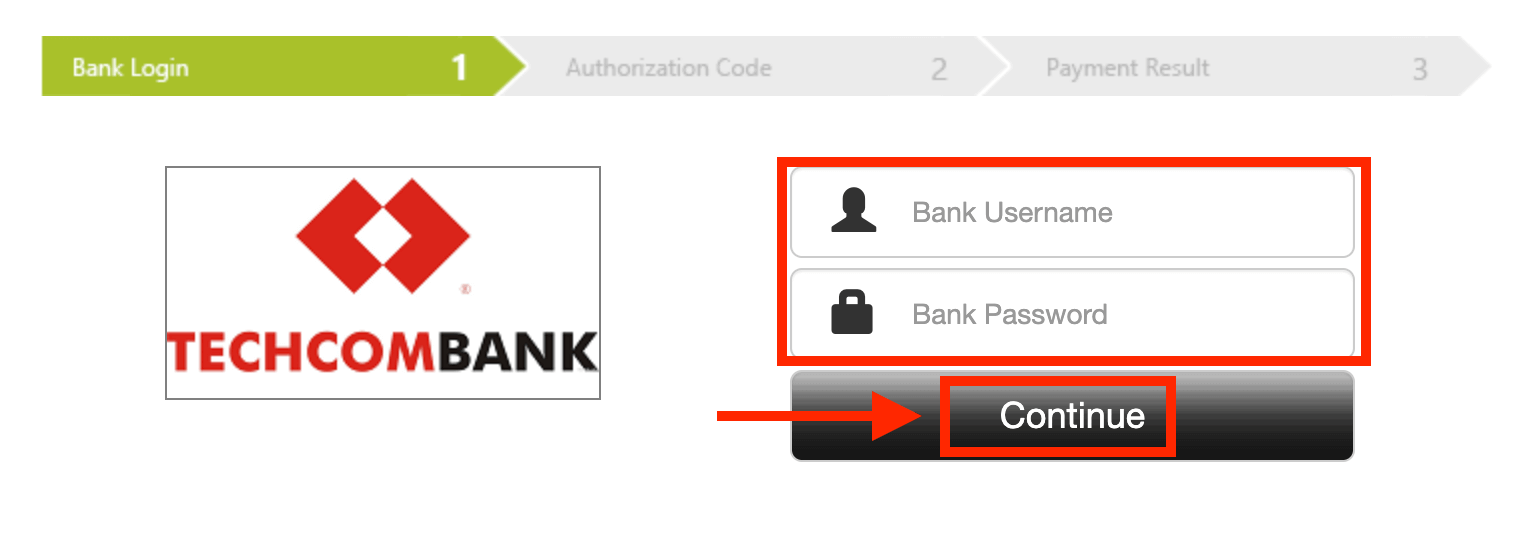
Enter the required data to deposit money to ExpertOption from your bank.
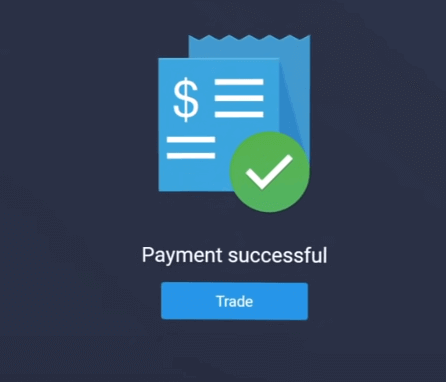
If your transaction has been completed successfully, a confirmation window will appear, and your funds will be credited to your account instantly.
Deposit on ExpertOption using E-payments
1. Visit the ExpertOption.com website or mobile app.2. Log in to your trading account.
3. Click on the “Finances” on the left upper corner menu and click "Deposit".
 4. Select "WebMoney" as an example.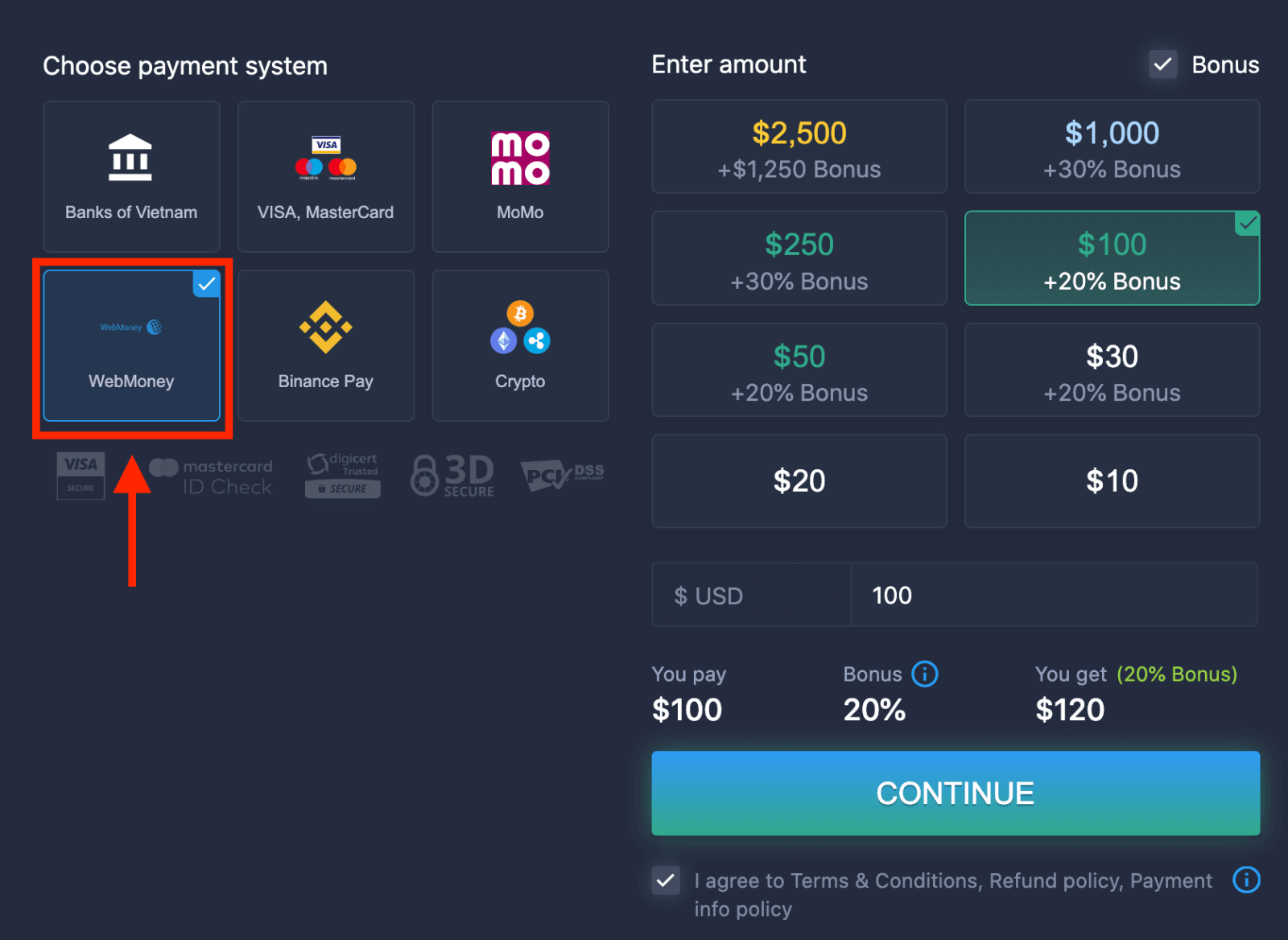
5. You may enter a deposit amount manually or select one from the list.
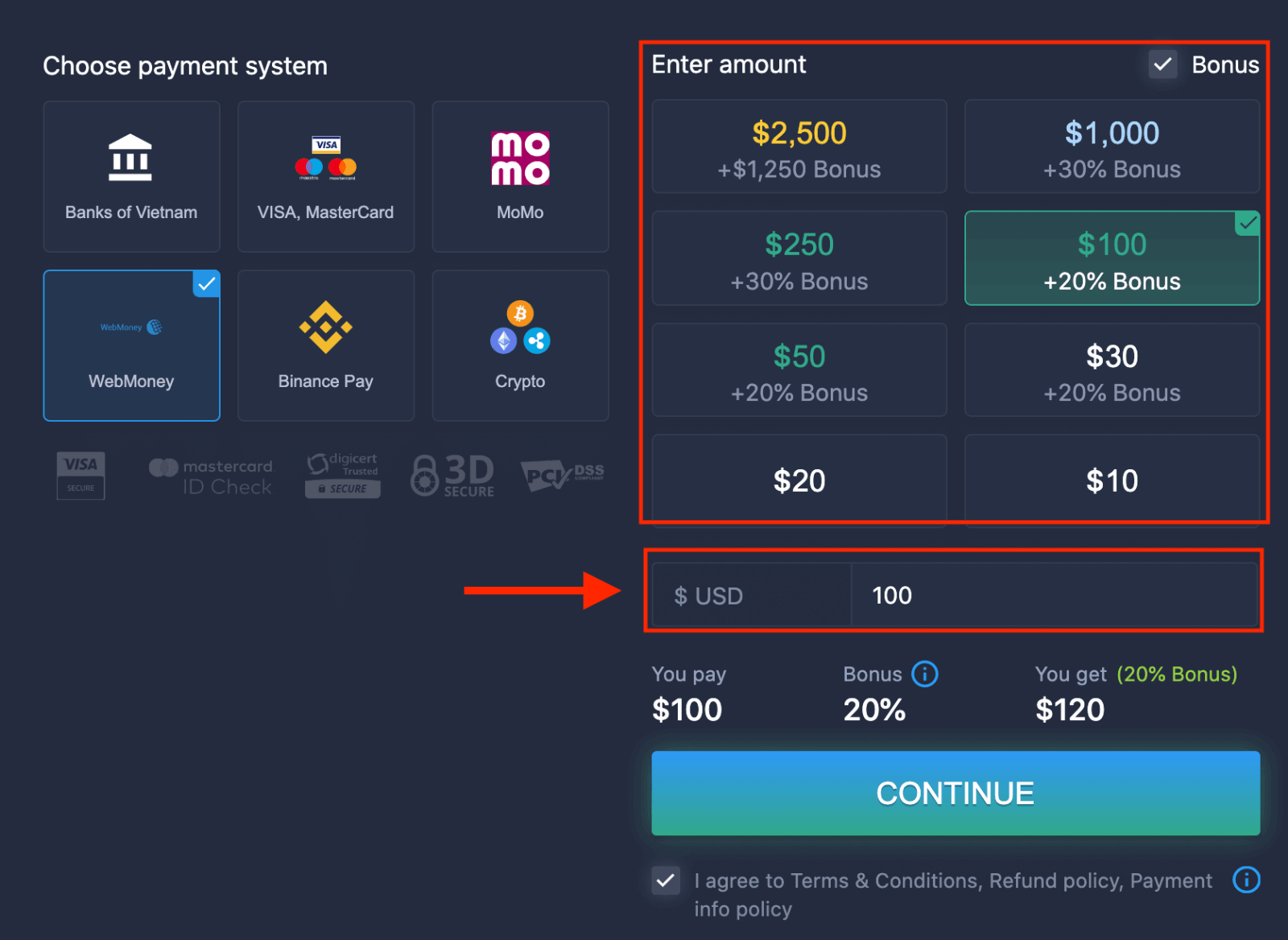
6. The system may offer you a deposit bonus, take advantage of the bonus to increase the deposit. After that, click "CONTINUE".
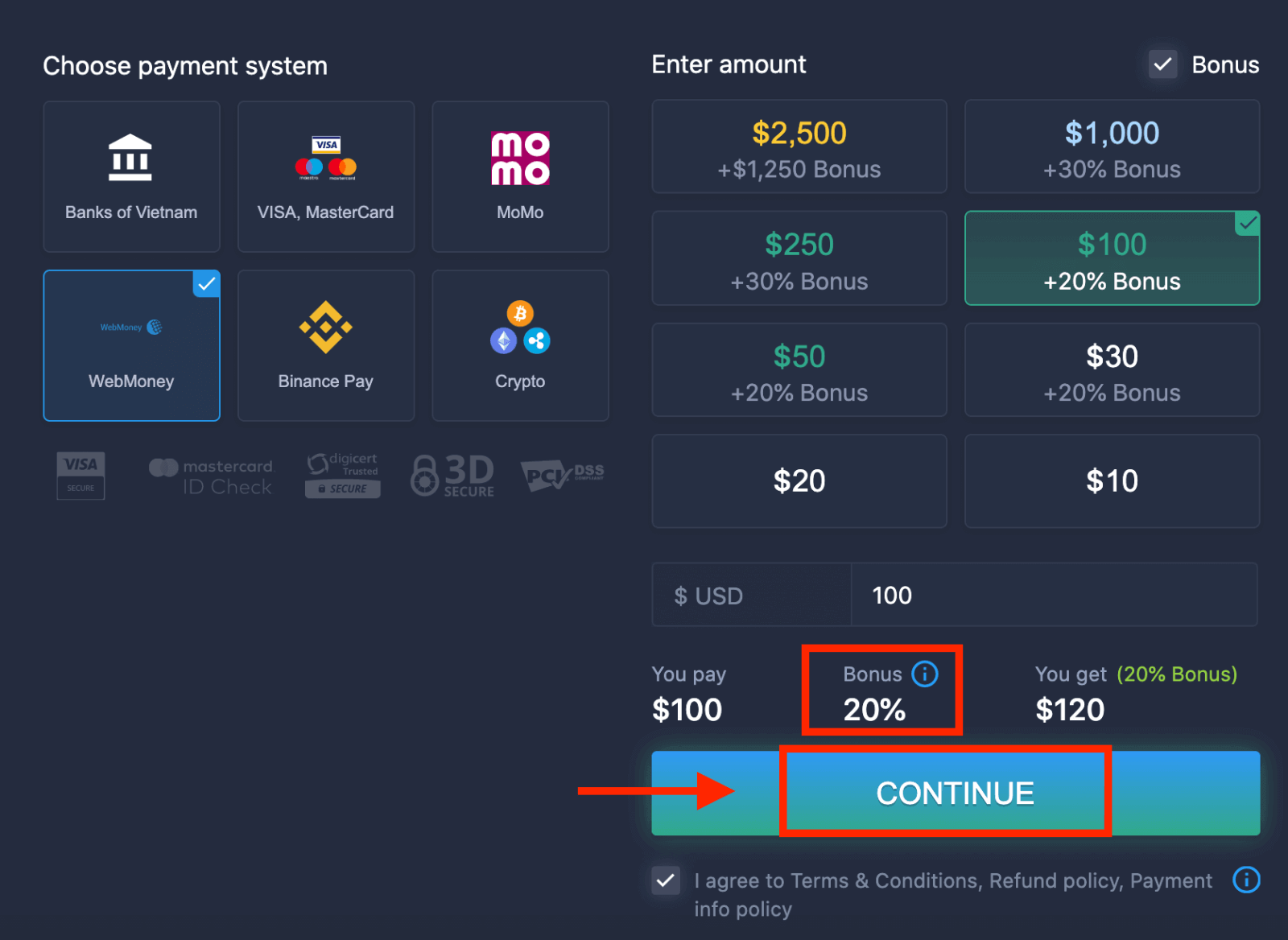 5. You will be redirected to a new page where you need to enter the required data to deposit money to ExpertOption.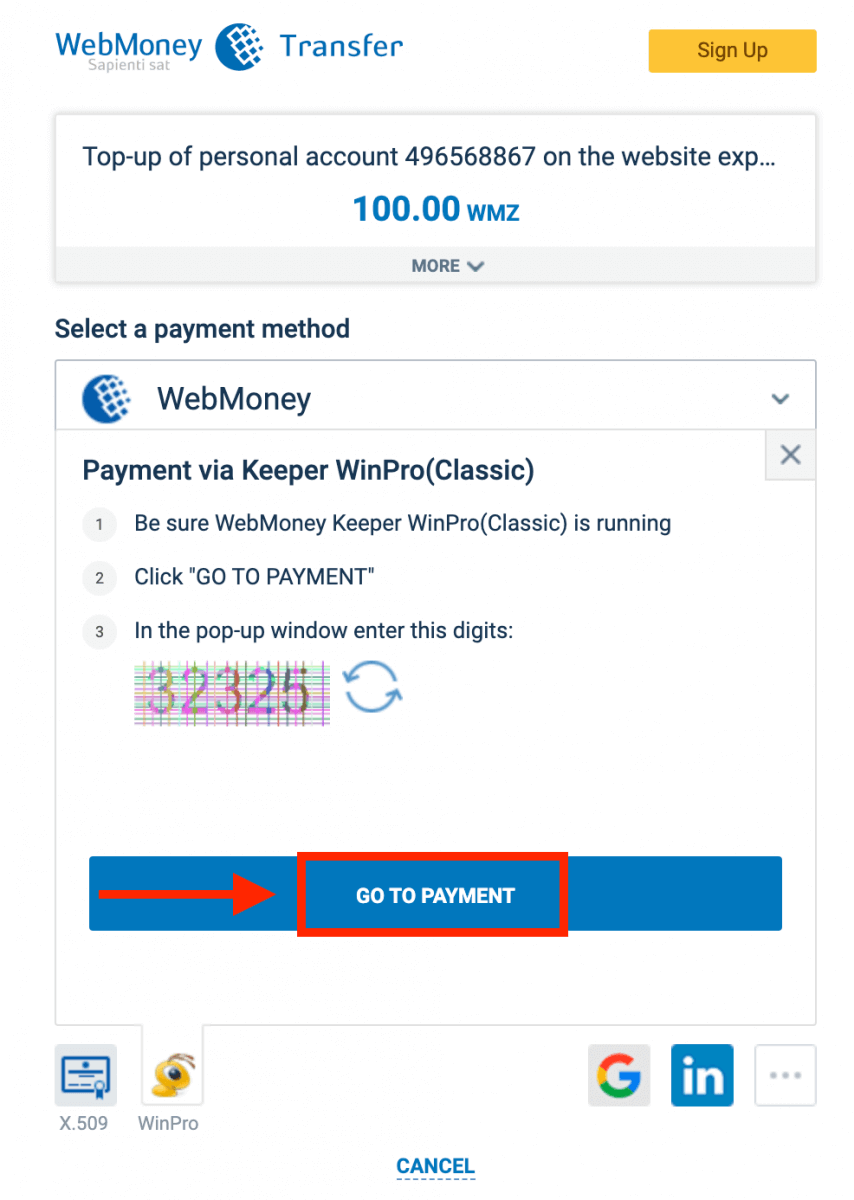
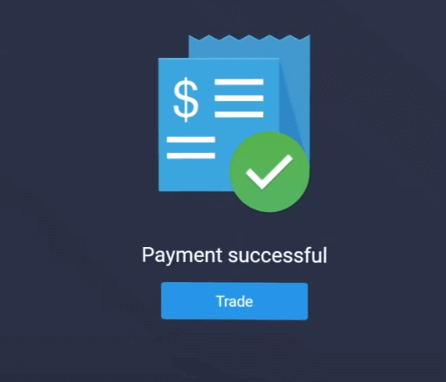
If your transaction has been completed successfully, a confirmation window will appear, and your funds will be credited to your account instantly.
Deposit on ExpertOption using Crypto
1. Visit the ExpertOption.com website or mobile app.2. Log in to your trading account.
3. Click on the “Finances” on the left upper corner menu and click "Deposit".
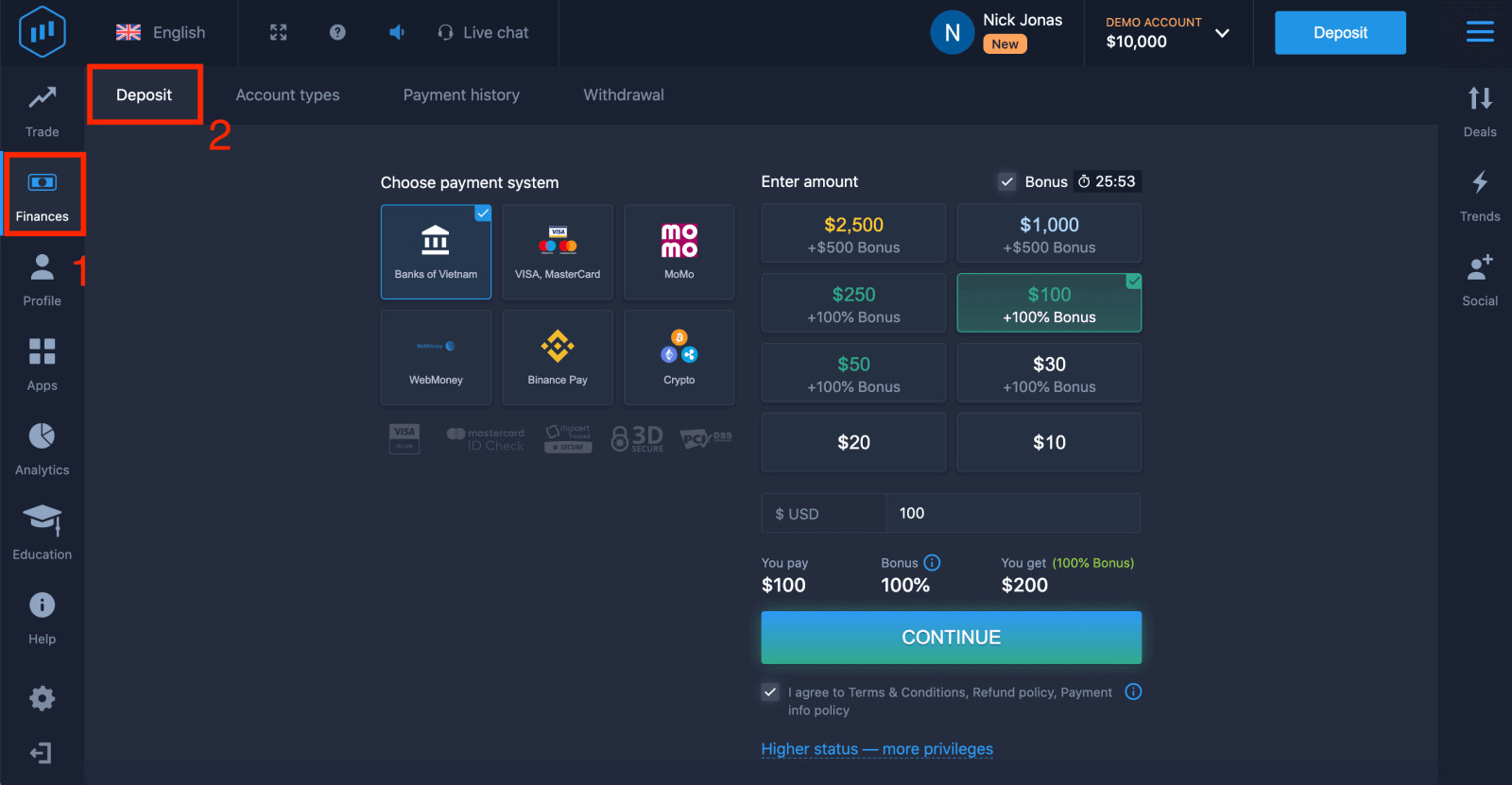 4. Select "Crypto" or "Binance Pay".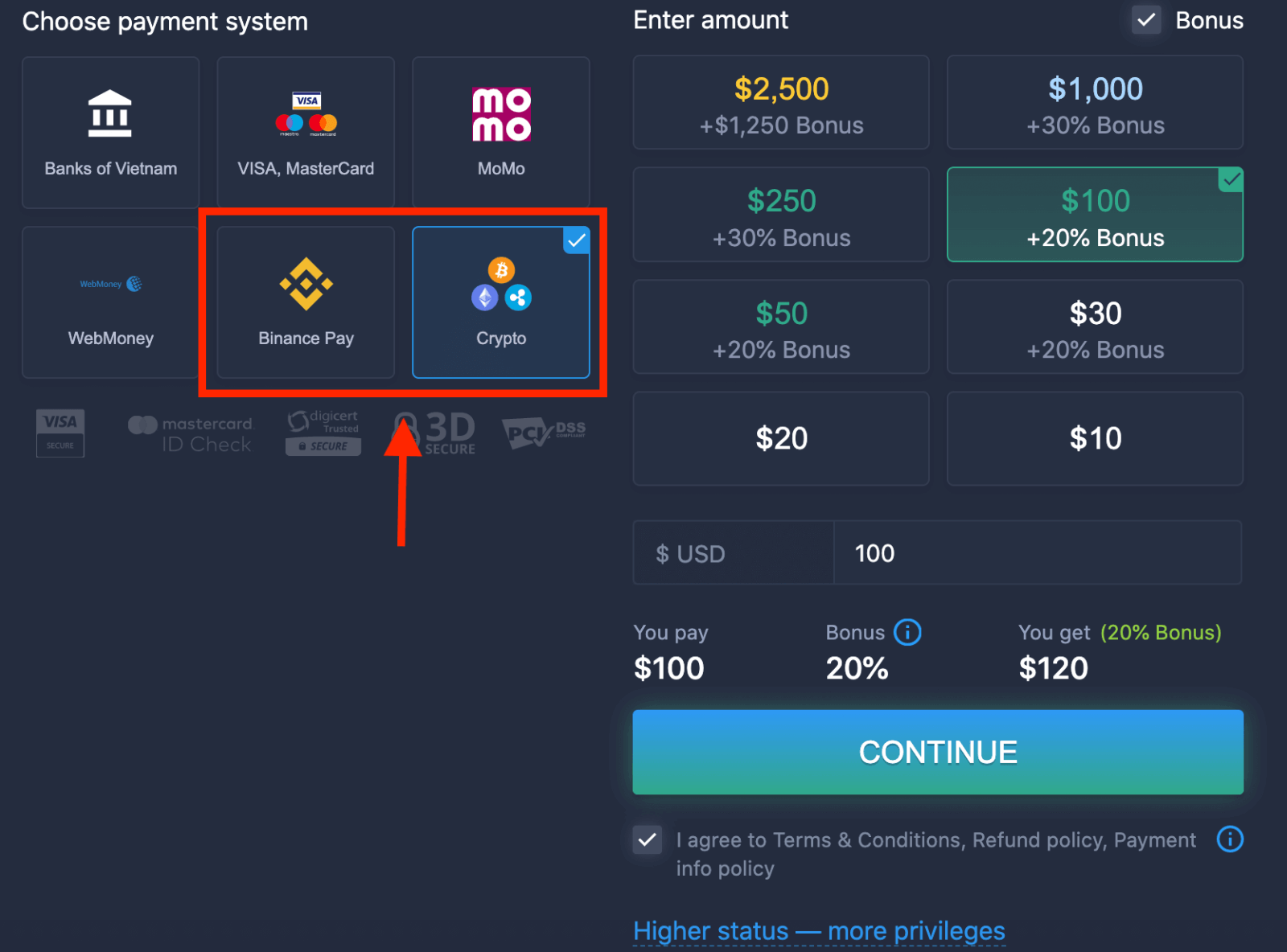
5. You may enter a deposit amount manually or select one from the list.
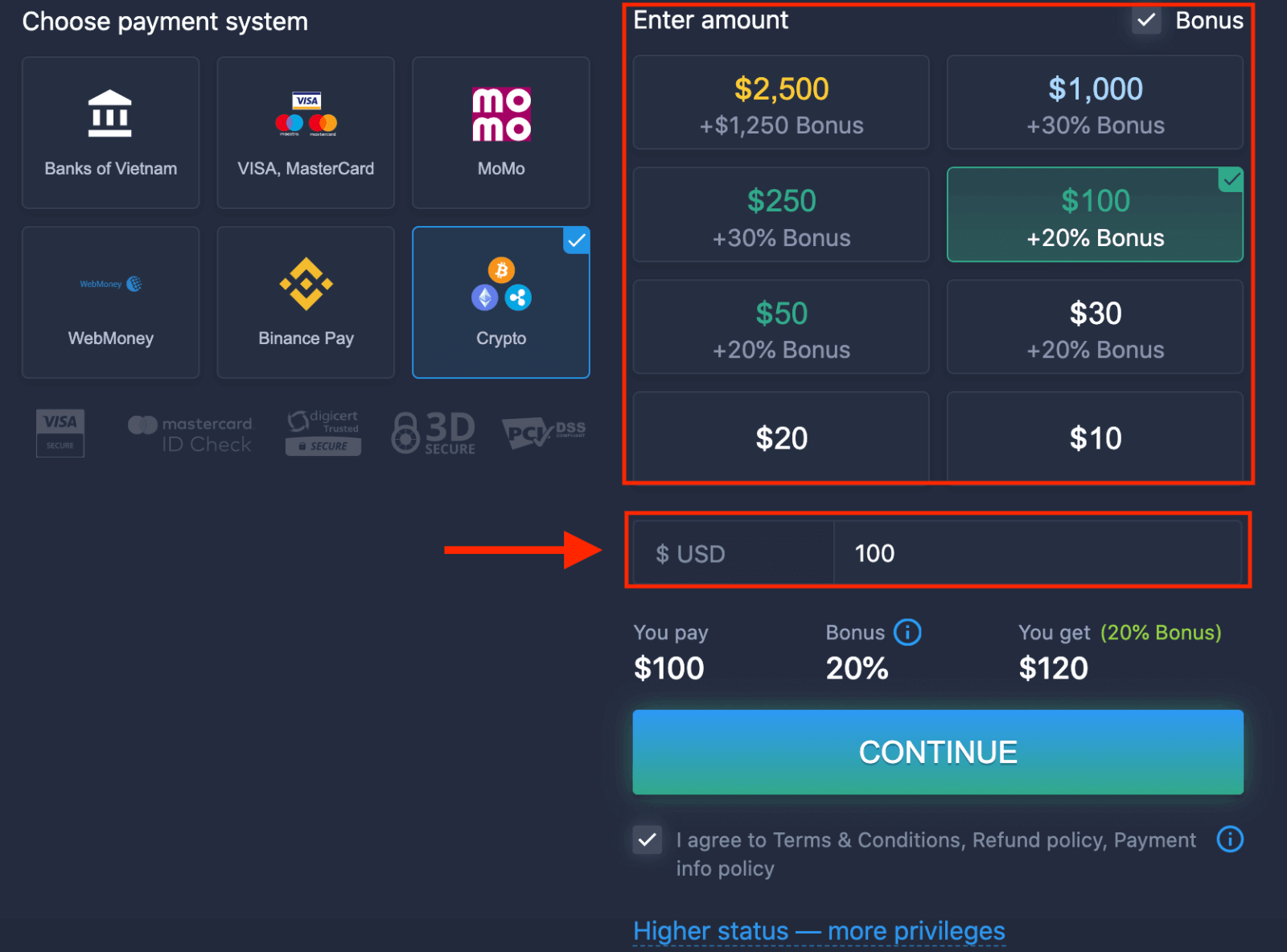
6. The system may offer you a deposit bonus, take advantage of the bonus to increase the deposit. After that, click "CONTINUE".
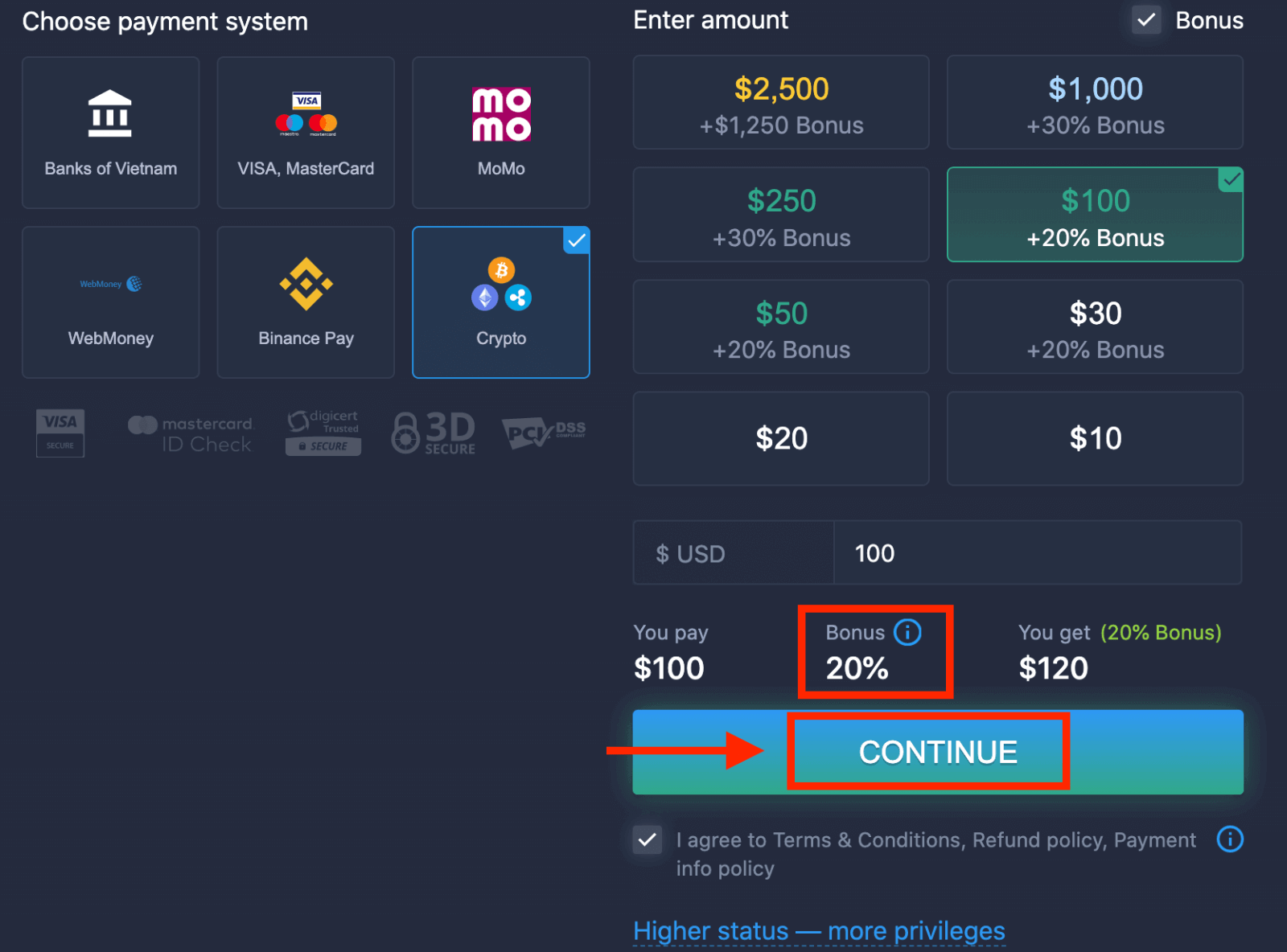
5. You will be redirected to a new page where you can get the address and send exactly the crypto to that address.
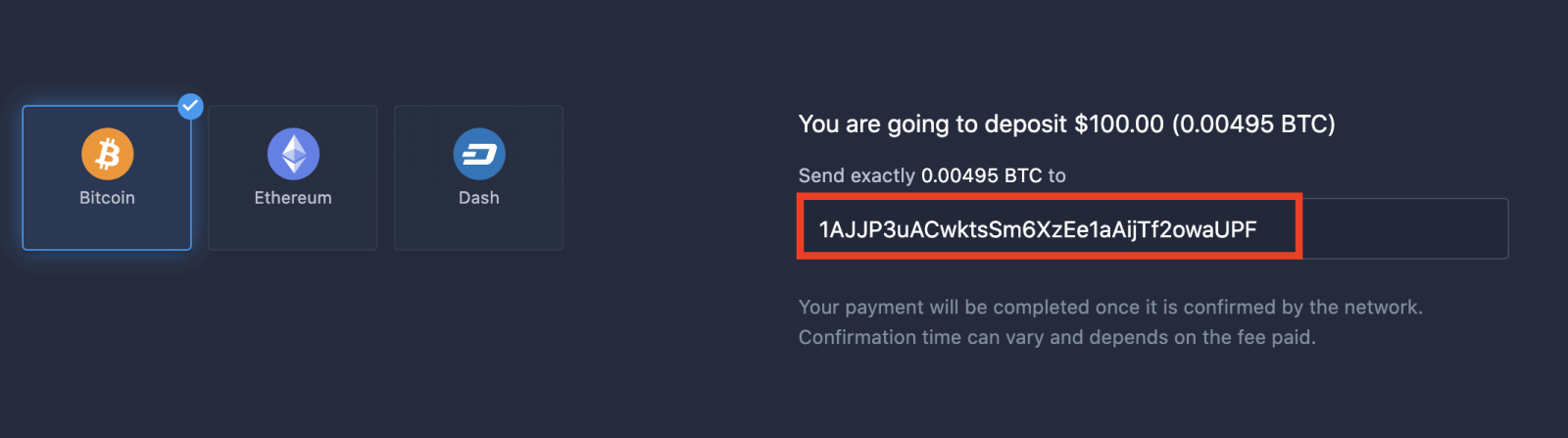
Your payment will be completed once it is confirmed by the network. Confirmation time can vary and depends on the fee paid.
Higher status — more privileges
| Micro | Basic | Silver | Gold | Platinum | Exclusive |
|
For those who prefer a light start. Upgrade to a higher status when ready |
For those who prefer a light start. Upgrade to a higher status when ready | The majority of our clients start with a Silver account. Free consultations included | Smart investments start with a Gold account. Get the most from your account with privileged features | Our best expertise and exclusive account management for serious investors | Ask your account manager for additional information |
|
from $10
|
from $50
|
from $500
|
from $2,500
|
from $5,000
|
Invitation only |
Account Types
| Micro | Basic | Silver | Gold | Platinum | Exclusive | |
|
Education materials
|
 |
 |
 |
 |
 |
 |
|
Daily Market Reviews and Financial Research
|
 |
 |
 |
 |
||
|
Priority withdrawal
|
 |
 |
 |
|||
|
Maximum number of simultaneously open deals
|
10
|
10 | 15 | 30 | no limit | no limit |
|
Maximum deal amount
|
$10
|
$25 | $250 | $1000 | $2,000 | $3,000 |
|
Increased asset profit
|
0
|
0 | 0 | up to 2% | up to 4% | up to 6% |