ExpertOption 押金
撰寫者

線上交易平台研究員和指南編寫者
研究經紀商平台和交易帳戶系統。
在 ExpertOption 上開倉之前,您必須為帳戶注資並滿足影響處理時間和提款資格的付款和身分要求。付款選項、最低金額和支援的貨幣因地區和提供者而異;當您將資金轉入交易錢包時,提前了解這些限制可以防止交易失敗和意外延遲。
融資後,平台上的二元期權交易遵循緊湊的工作流程:選擇資產、選擇交易規模和到期日、選擇方向(向上或向下)並確認訂單。在拿真實資本冒險之前,使用演示模式來嘗試計時、指標設定和支付行為,並完成任何所需的驗證,以便存款和未來的提款過程順利進行。
融資後,平台上的二元期權交易遵循緊湊的工作流程:選擇資產、選擇交易規模和到期日、選擇方向(向上或向下)並確認訂單。在拿真實資本冒險之前,使用演示模式來嘗試計時、指標設定和支付行為,並完成任何所需的驗證,以便存款和未來的提款過程順利進行。

如何在ExpertOption上儲值
如何在ExpertOption上進行存款
歡迎您使用金融卡或信用卡(VISA、MasterCard)、網路銀行、電子錢包(例如 Perfect Money、Skrill、WebMoney)或加密貨幣進行存款。最低存款額為 10 美元。如果您的銀行帳戶幣種不同,資金將自動進行貨幣轉換。
許多交易者喜歡使用電子支付而非銀行卡,因為電子支付提款速度更快。
我們還有一個好消息:存款無需任何手續費。
使用銀行卡(VISA/萬事達卡)在ExpertOption進行存款
1. 造訪ExpertOption網站或行動應用程式。 2 . 登入您的交易帳戶。 3
. 點選左上角選單中的“財務”,然後點選“存款”。 4
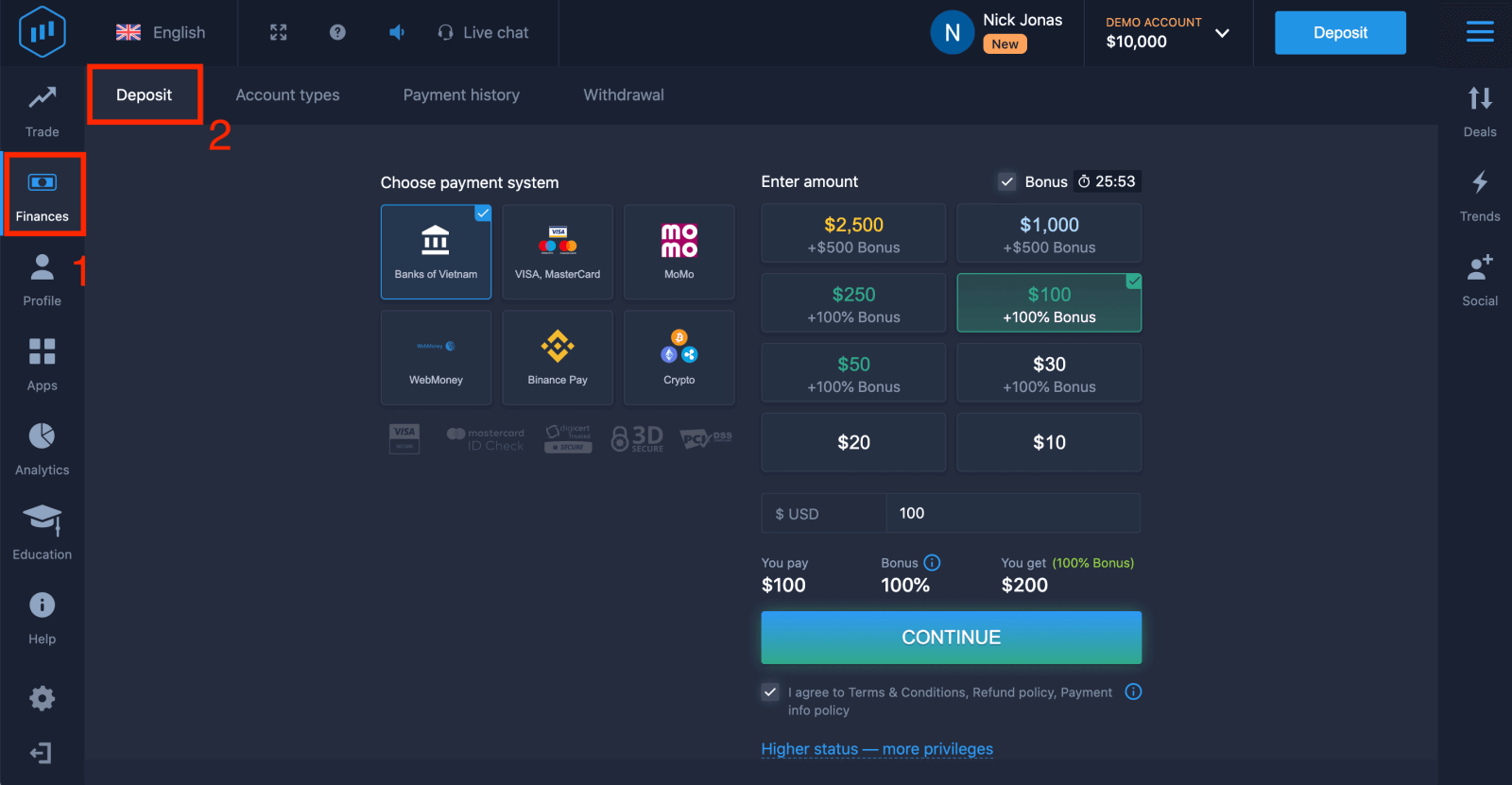
. 您可以透過多種方式存款給您的帳戶;您可以使用任何金融卡或信用卡進行存款。該卡必須有效且已註冊在您的名下,並支援國際線上交易。選擇“VISA / MasterCard”。 5
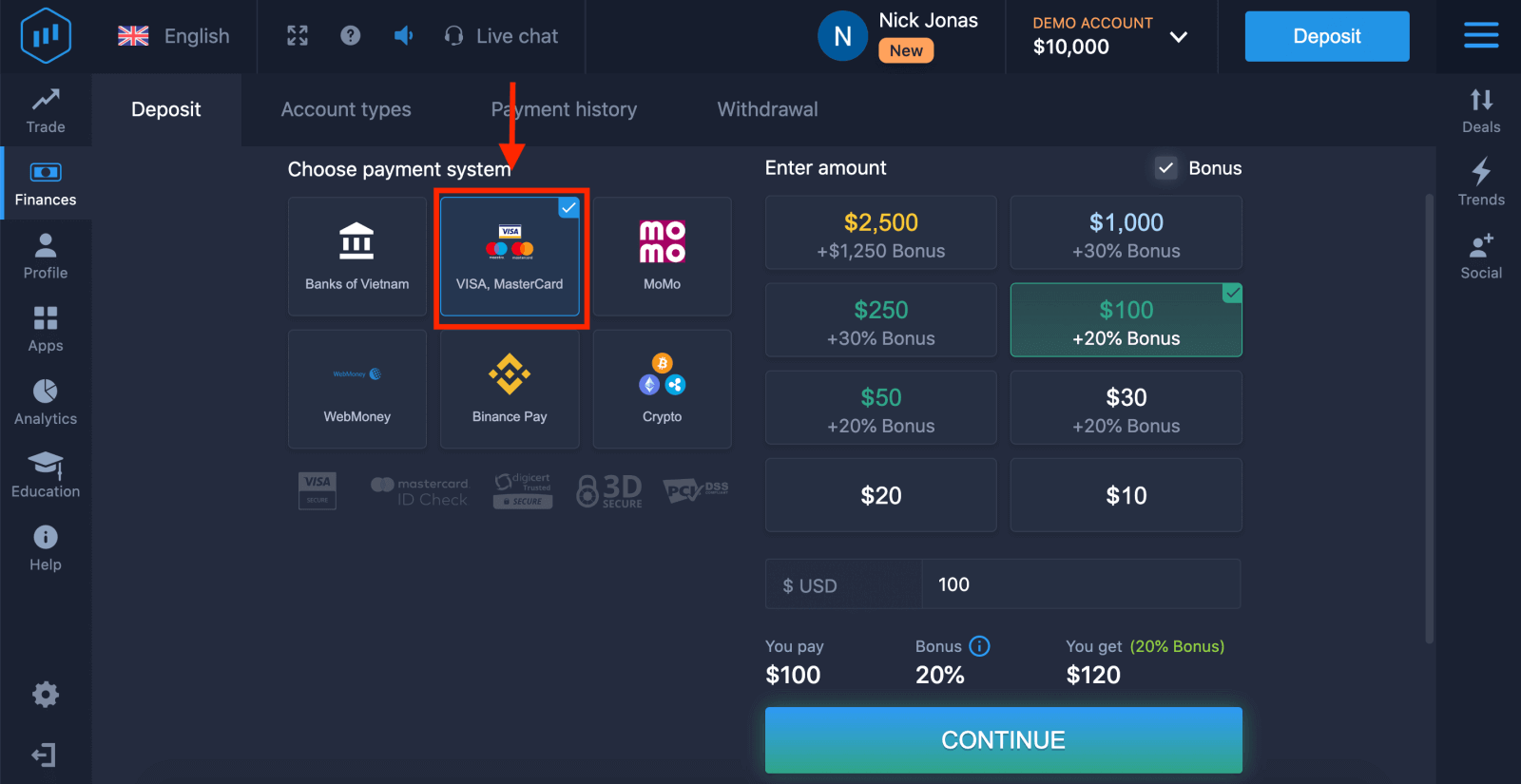
. 您可以手動輸入存款金額,也可以從清單中選擇一個。 6
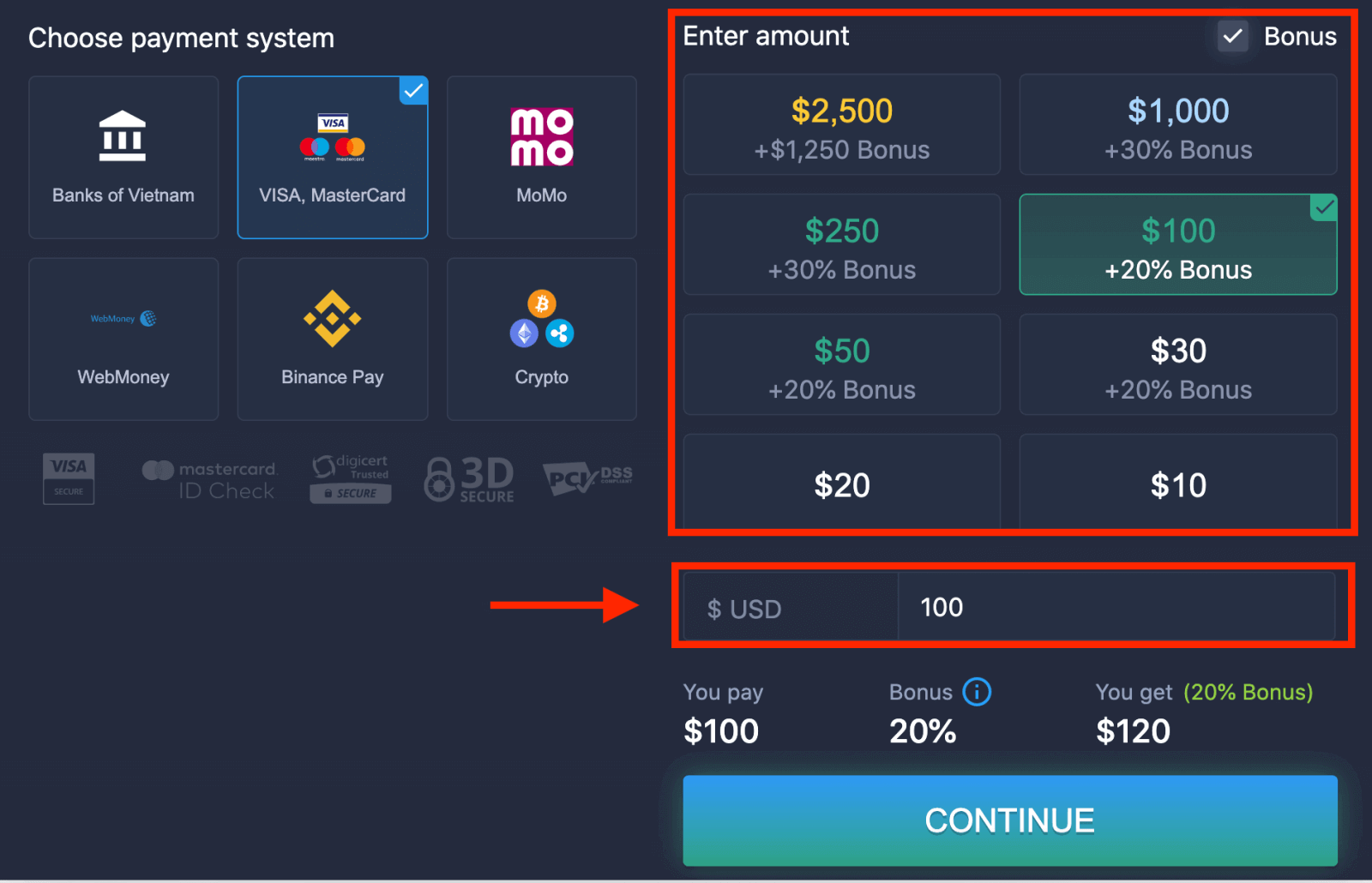
. 系統可能會提供存款獎勵;請利用獎勵增加存款金額。之後,點選「繼續」
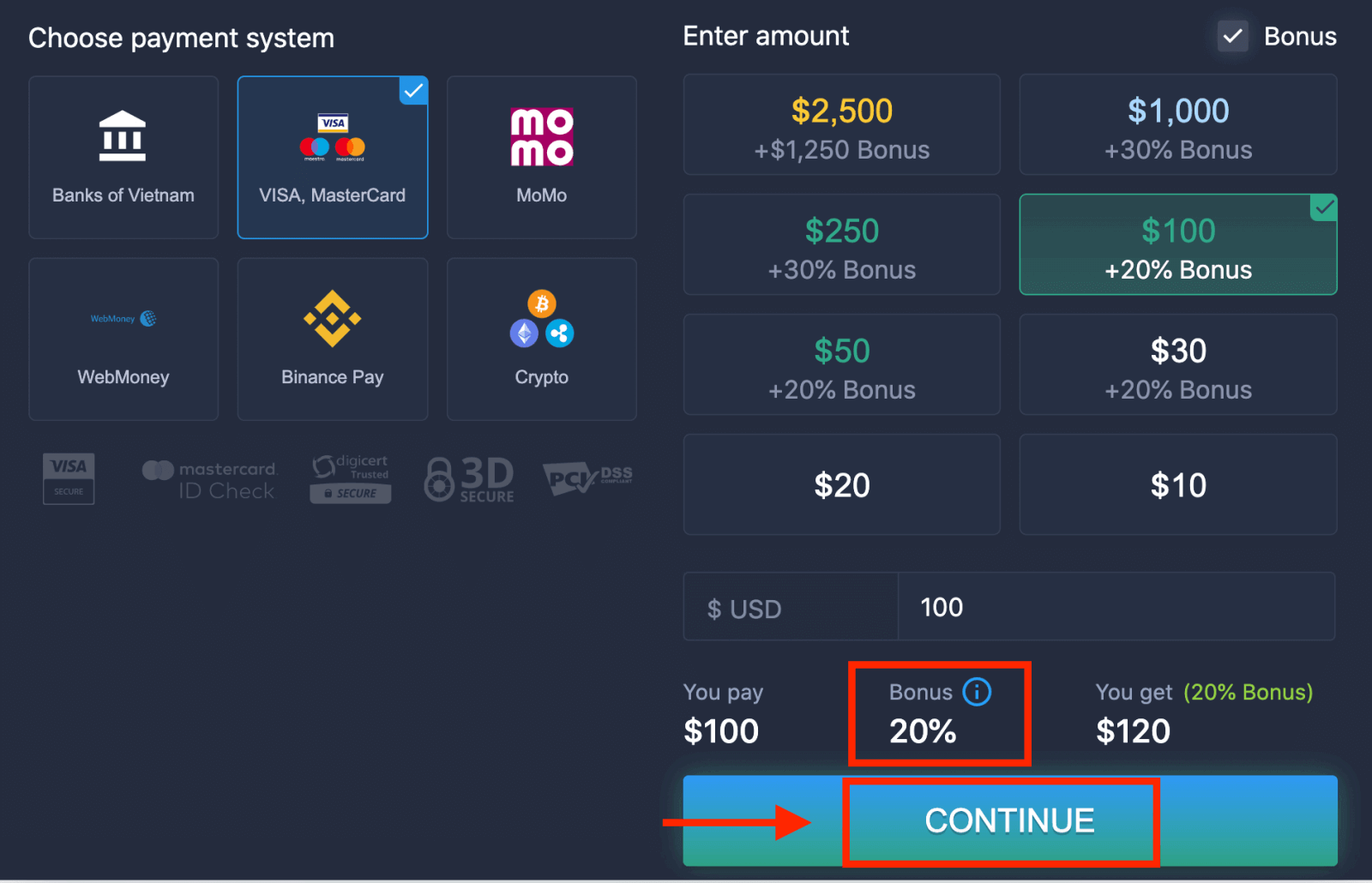
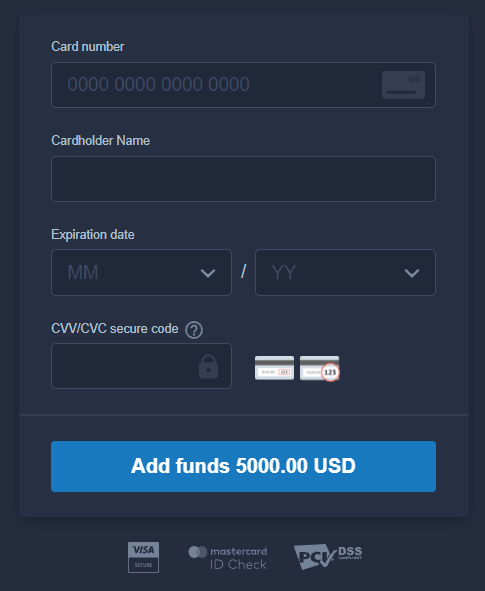
。 7. 您將被重新導向到一個新頁面,在該頁面上,您需要輸入您的卡號、持卡人姓名和 CVV 碼。 CVV
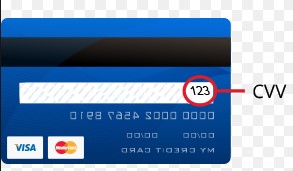
或 CVC 碼是 3 位數的代碼,用於線上交易中的安全驗證。它印在您卡片背面的簽名欄上。如下圖所示。
若要完成交易,請按下「新增資金…」按鈕。
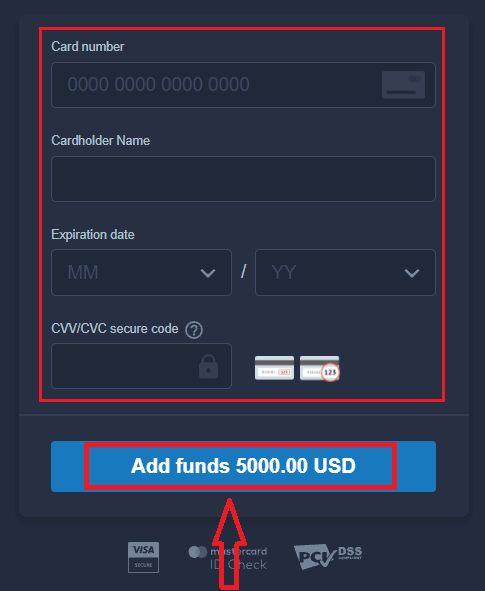
如果您的交易成功完成,將會跳出確認窗口,您的款項將立即存入您的帳戶
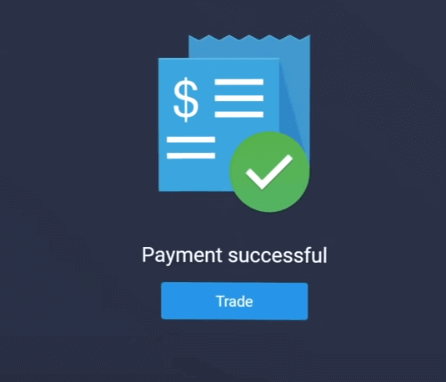
。
使用網路銀行在ExpertOption進行存款
1. 造訪ExpertOption網站或行動應用程式。 2. 登入您的交易帳戶。 3
. 點選左上角選單中的“財務”,然後點選“存款”。 4
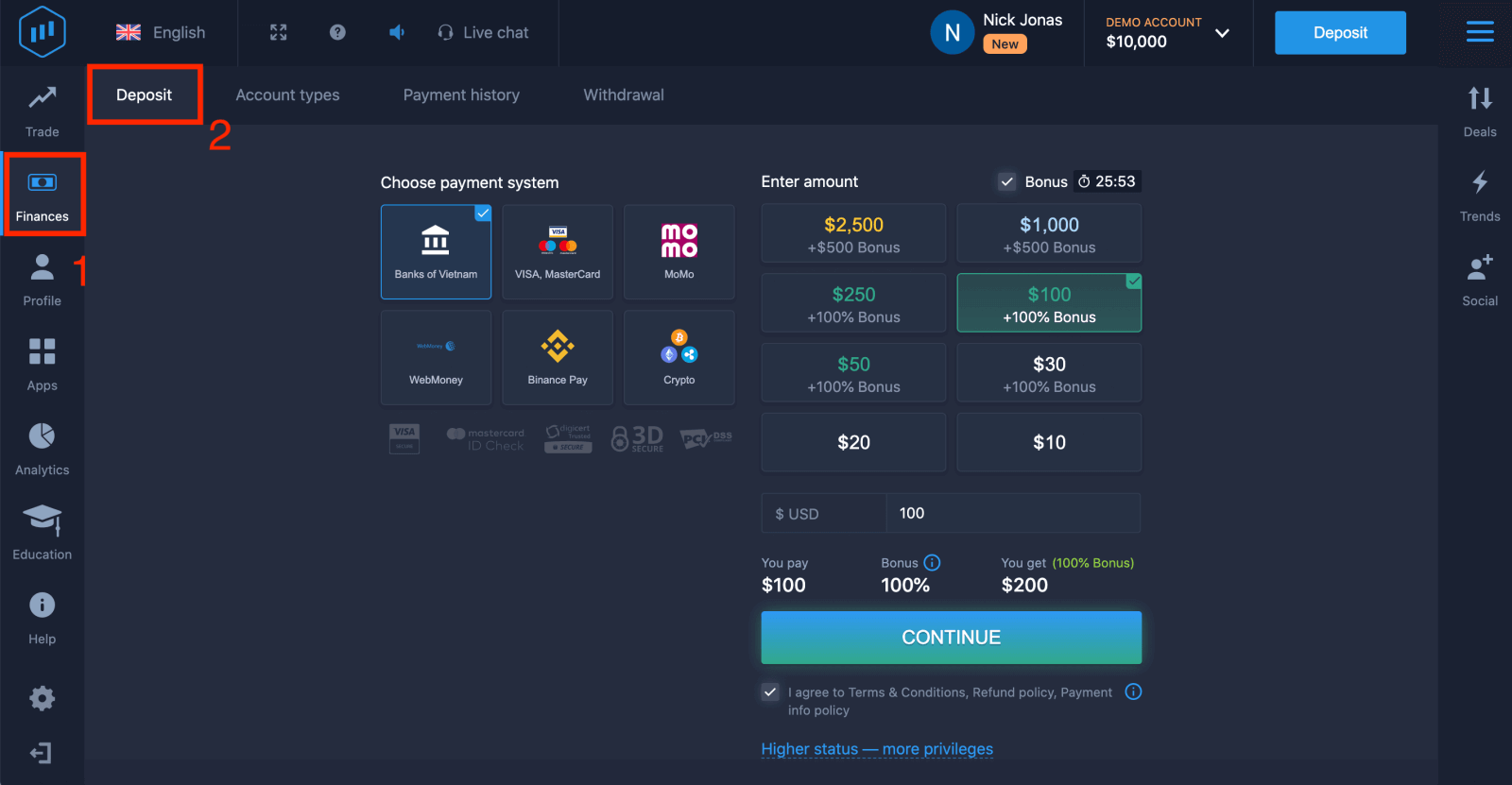
. 選擇“銀行”。 5
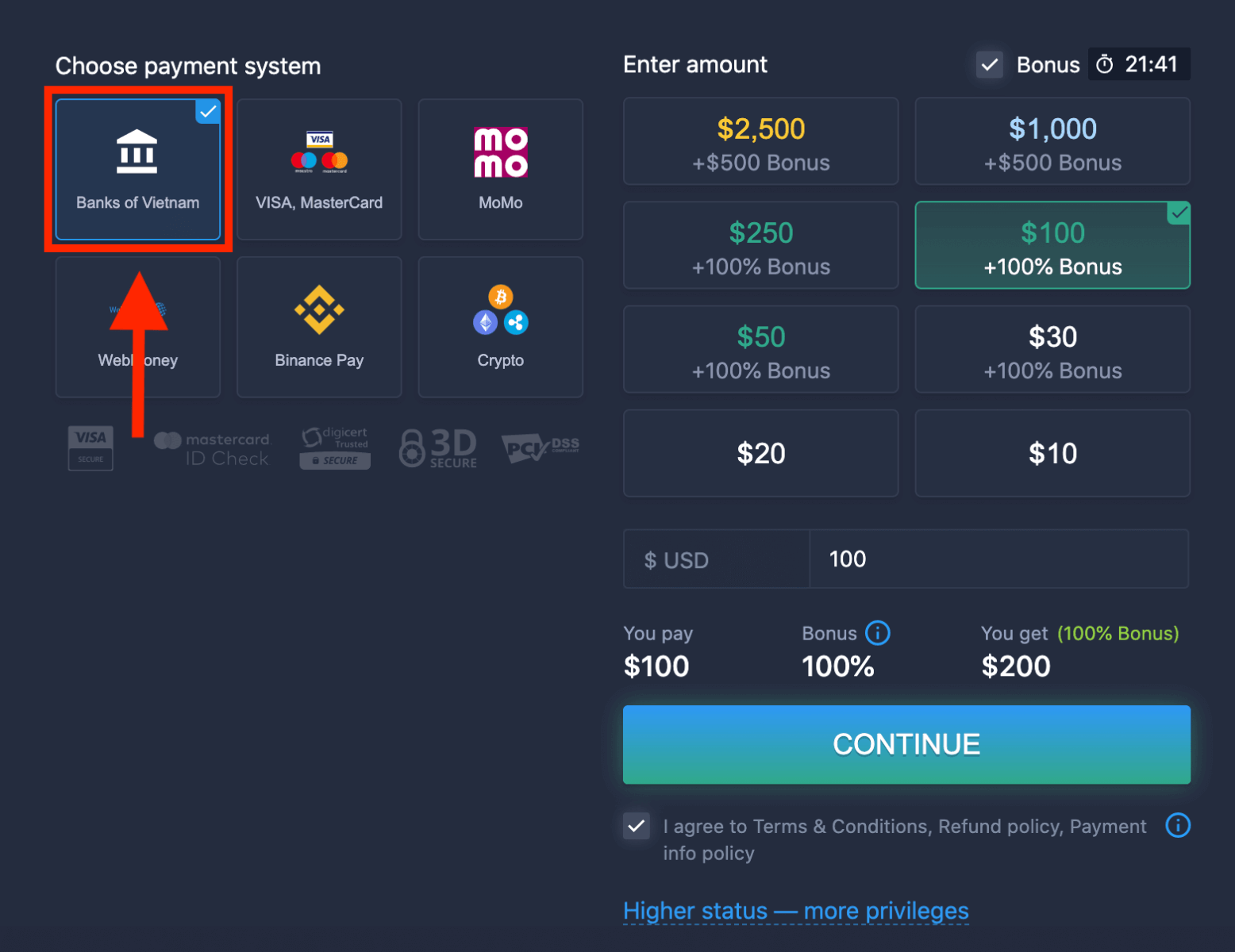
. 您可以手動輸入存款金額,也可以從清單中選擇。 6
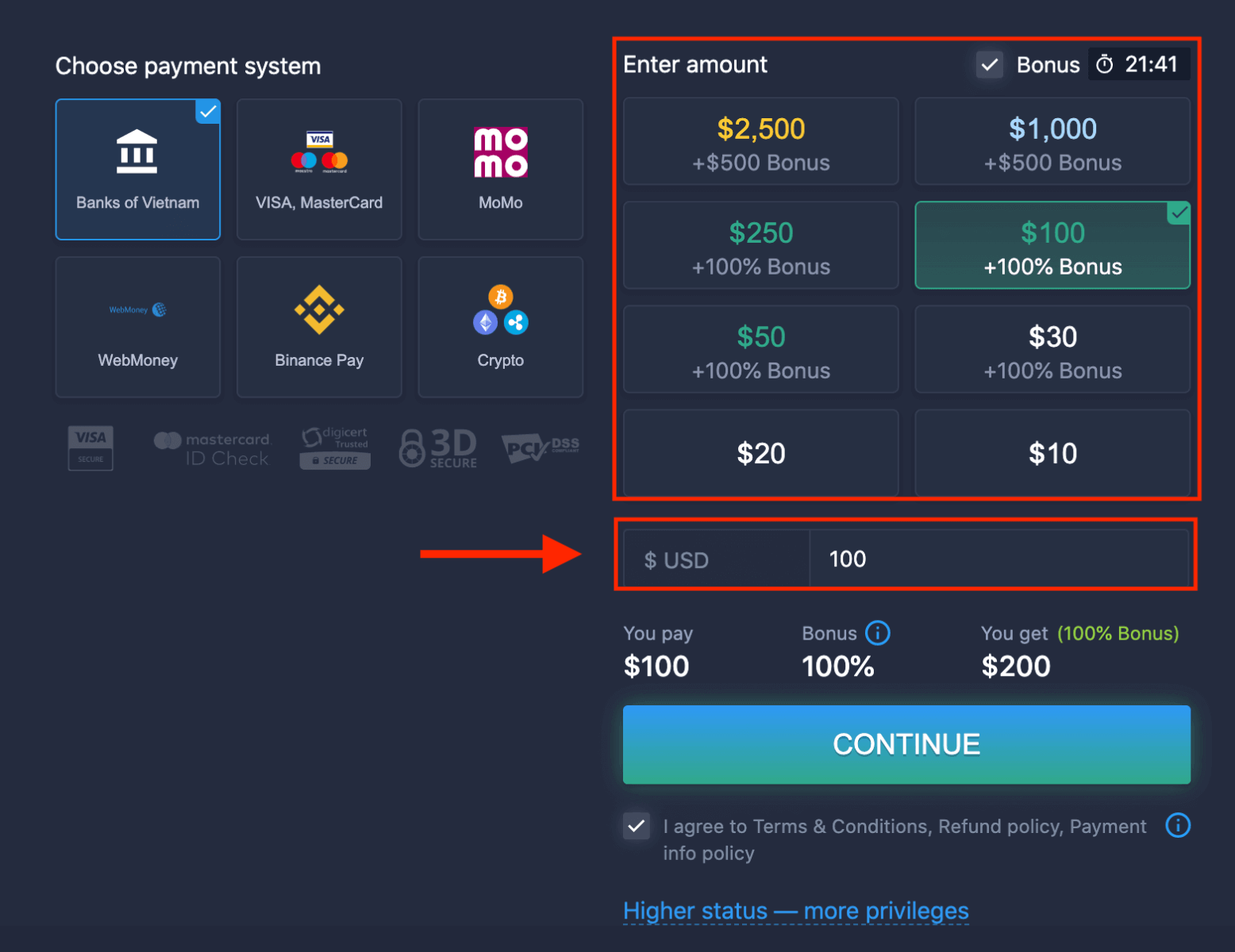
. 系統可能會提供存款贈金;請利用贈金增加存款金額。之後,點選「繼續」。 7
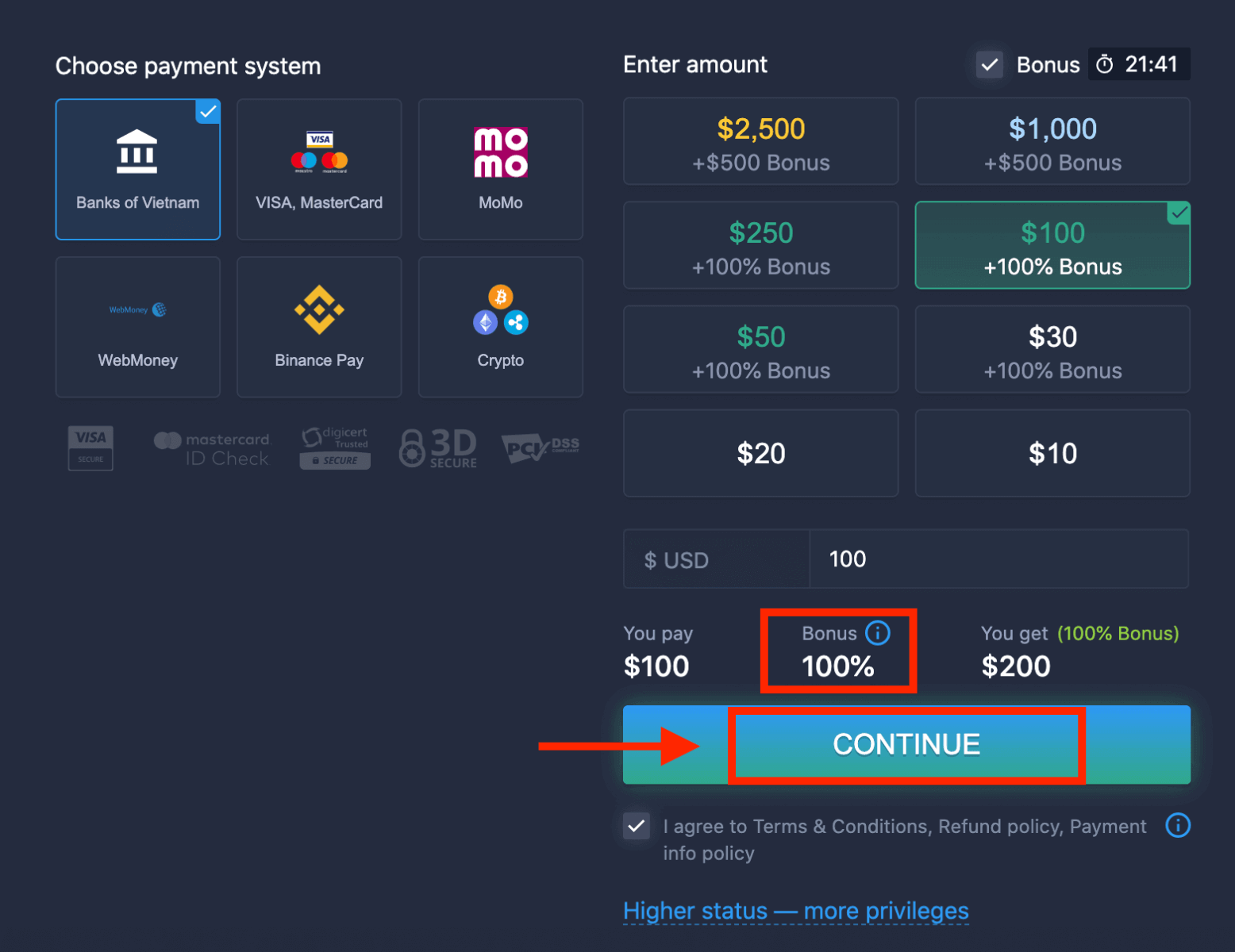
. 您將被重新導向到一個新頁面,需要在該頁面選擇您的銀行。
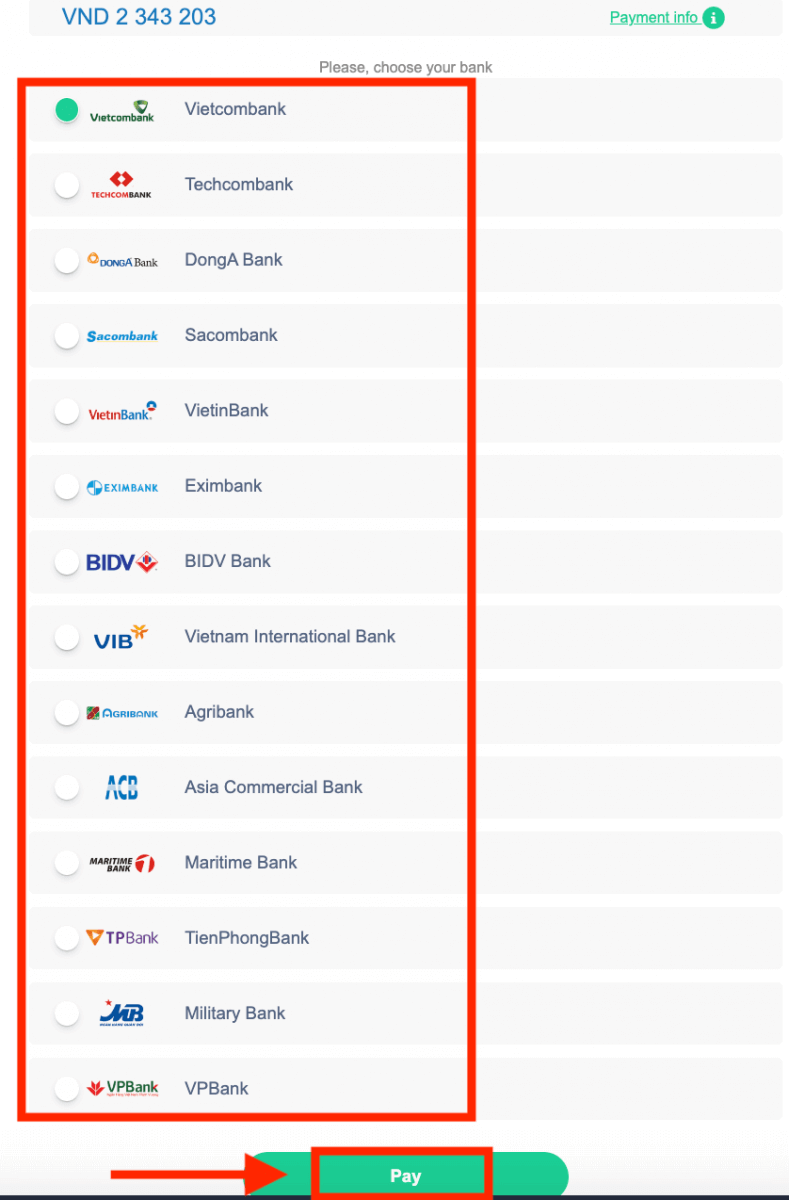
輸入所需信息,即可從您的銀行向 ExpertOption 存款。
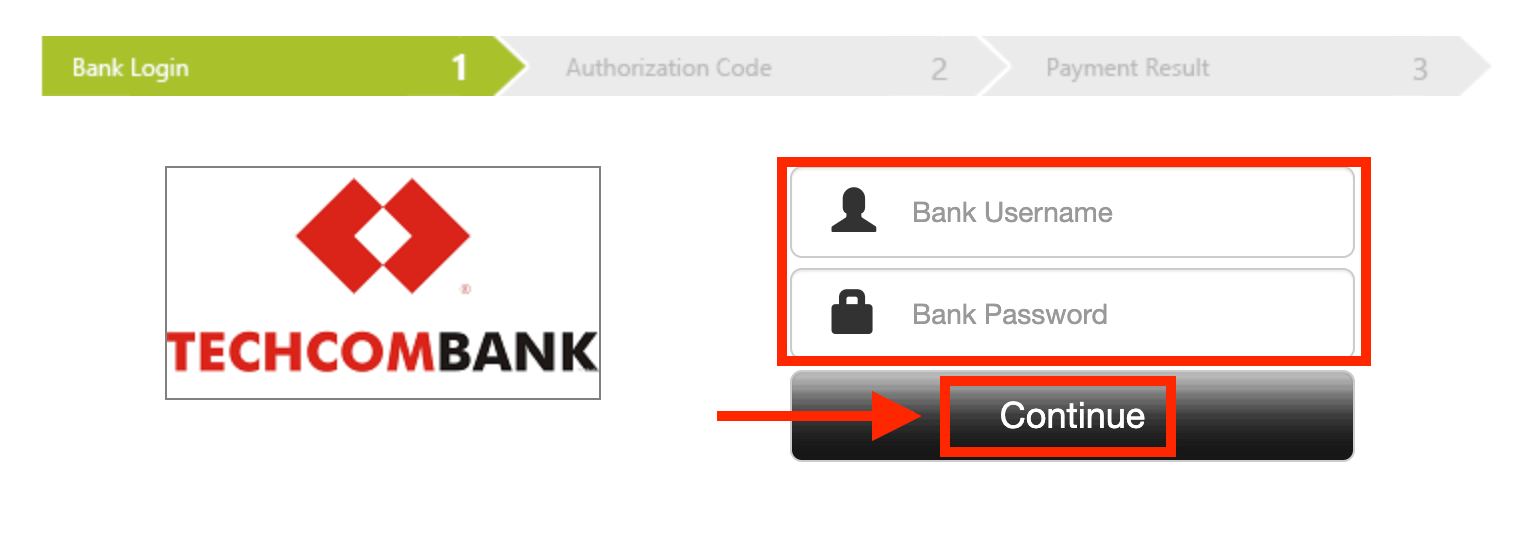
如果交易成功,將出現確認窗口,您的資金將立即存入您的帳戶。
使用電子支付方式在ExpertOption上進行存款
1. 造訪ExpertOption網站或行動應用程式。 2. 登入您的交易帳戶。 3
. 點選左上角選單中的“財務”,然後點選“存款”。 4
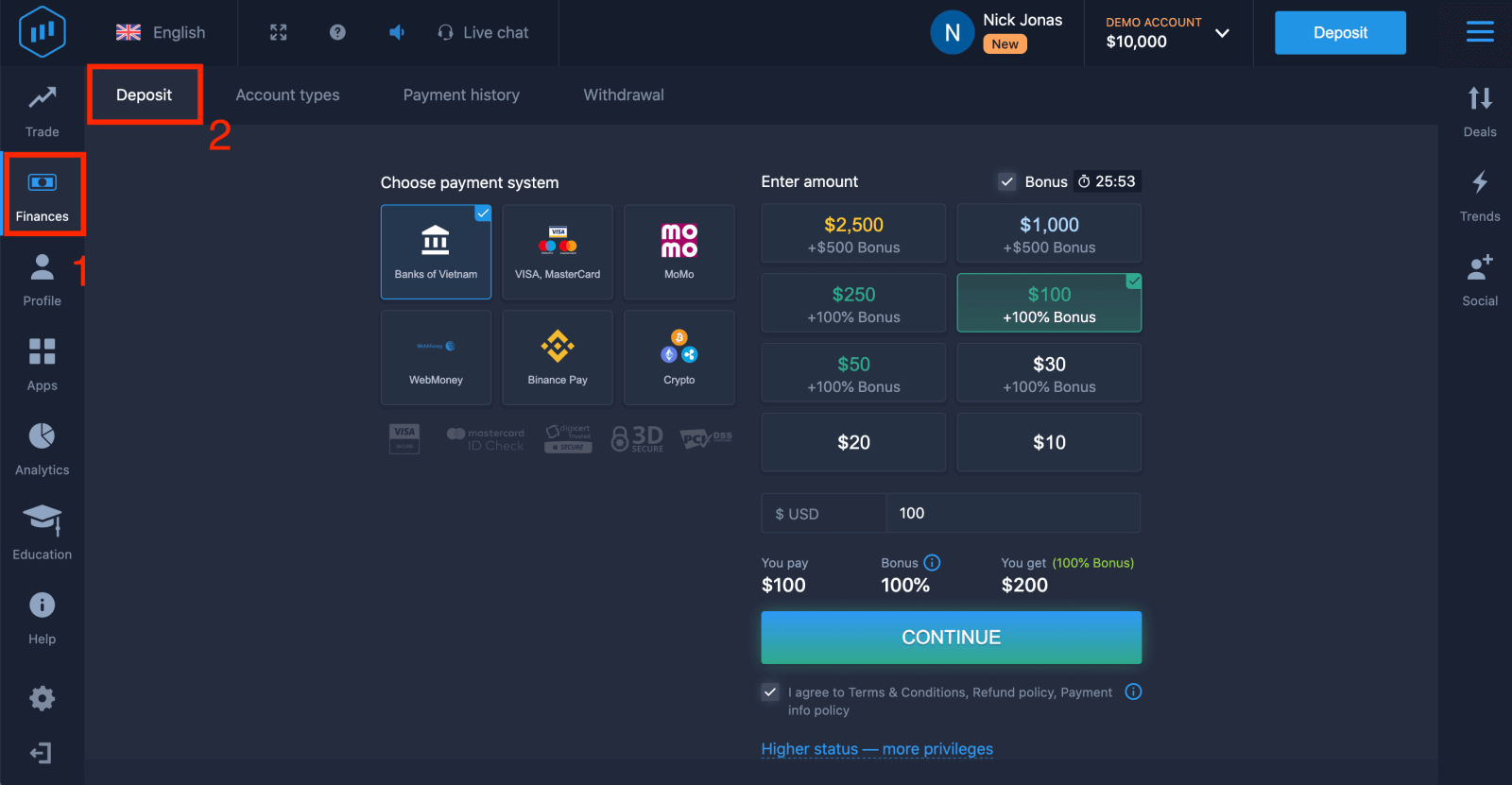 . 以「WebMoney」為例。 5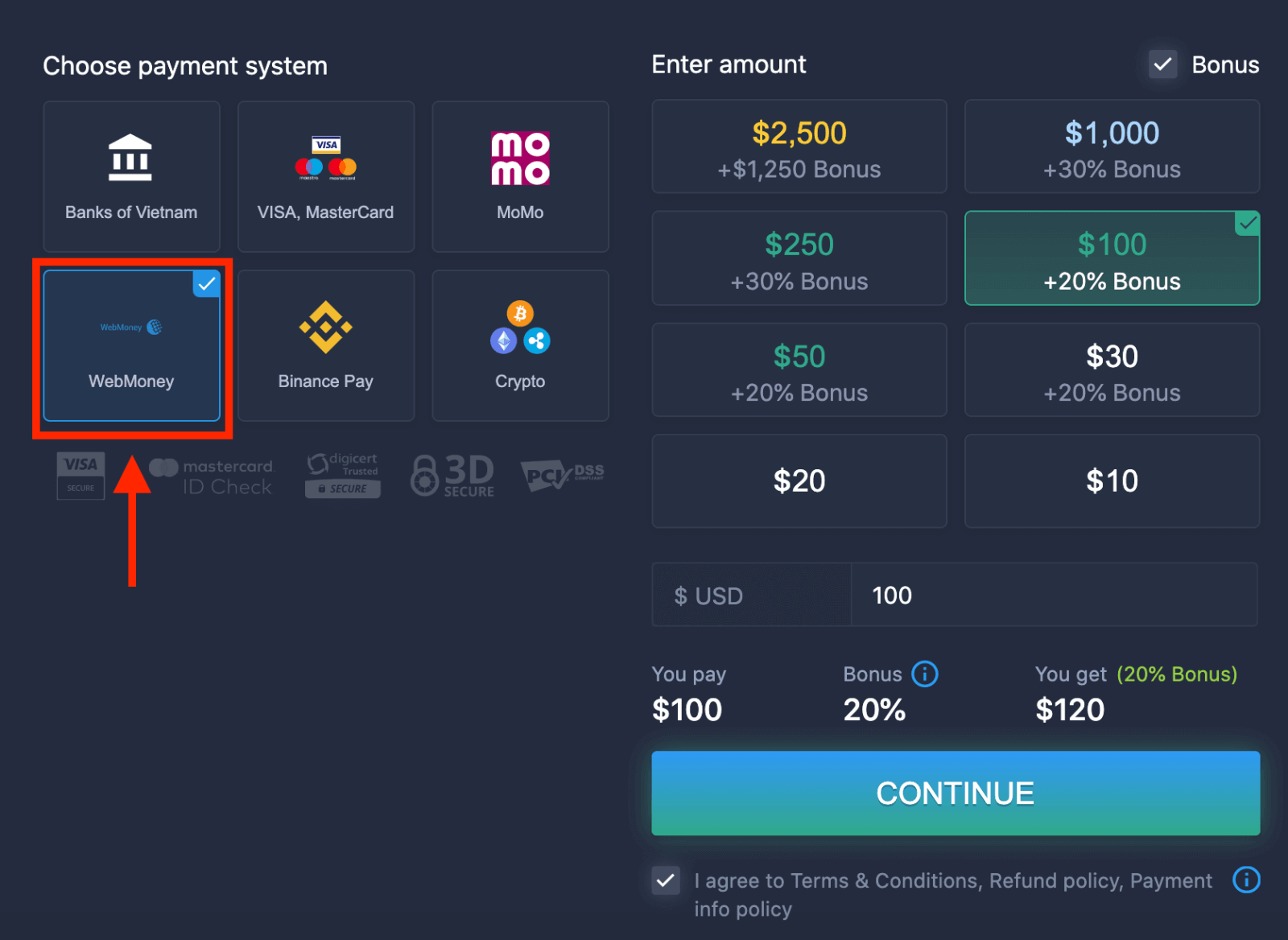
. 您可以手動輸入存款金額,也可以從清單中選擇。 6
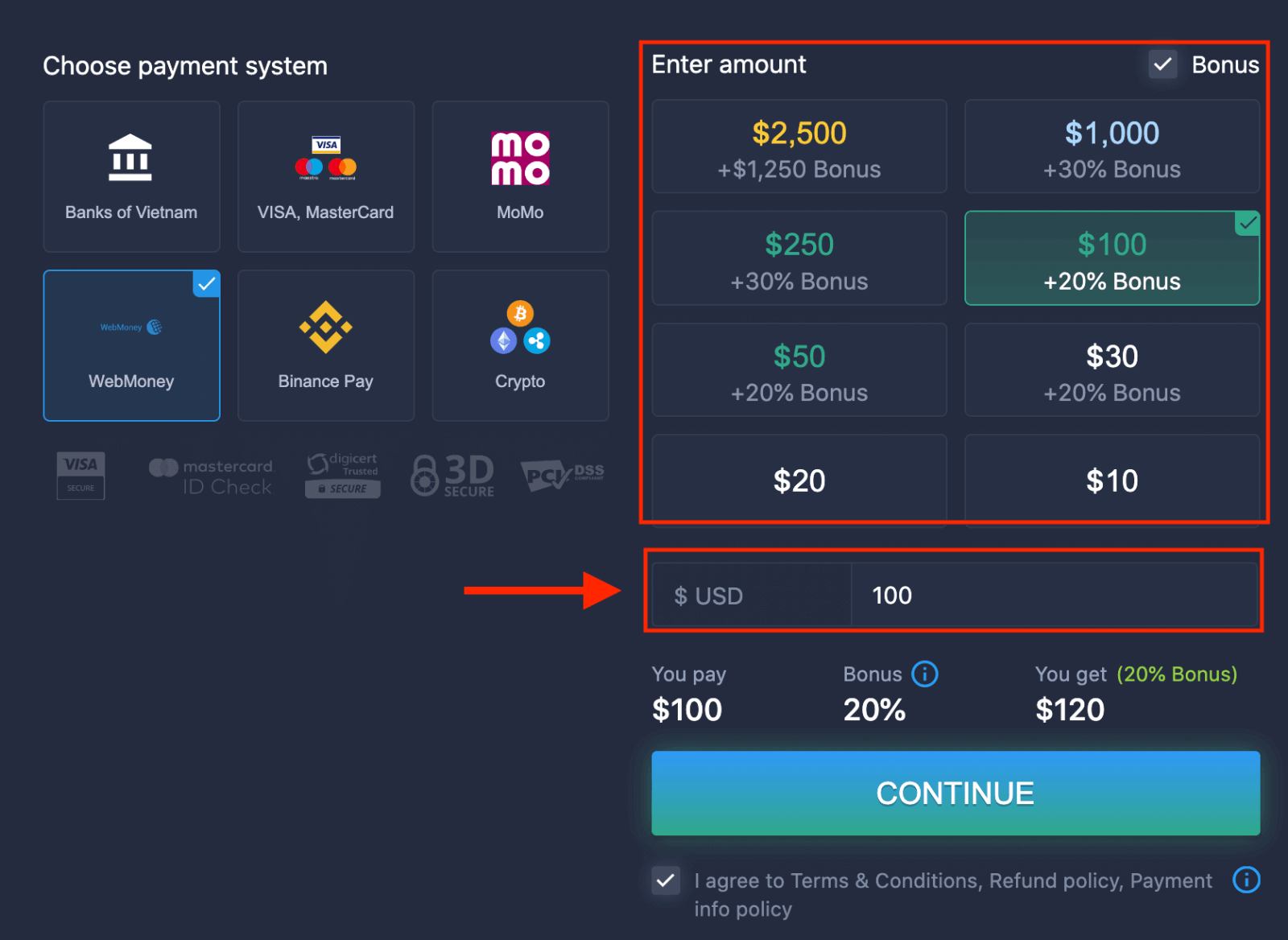
. 系統可能會提供存款贈金;請利用贈金增加存款金額。之後,點選「繼續」。 7
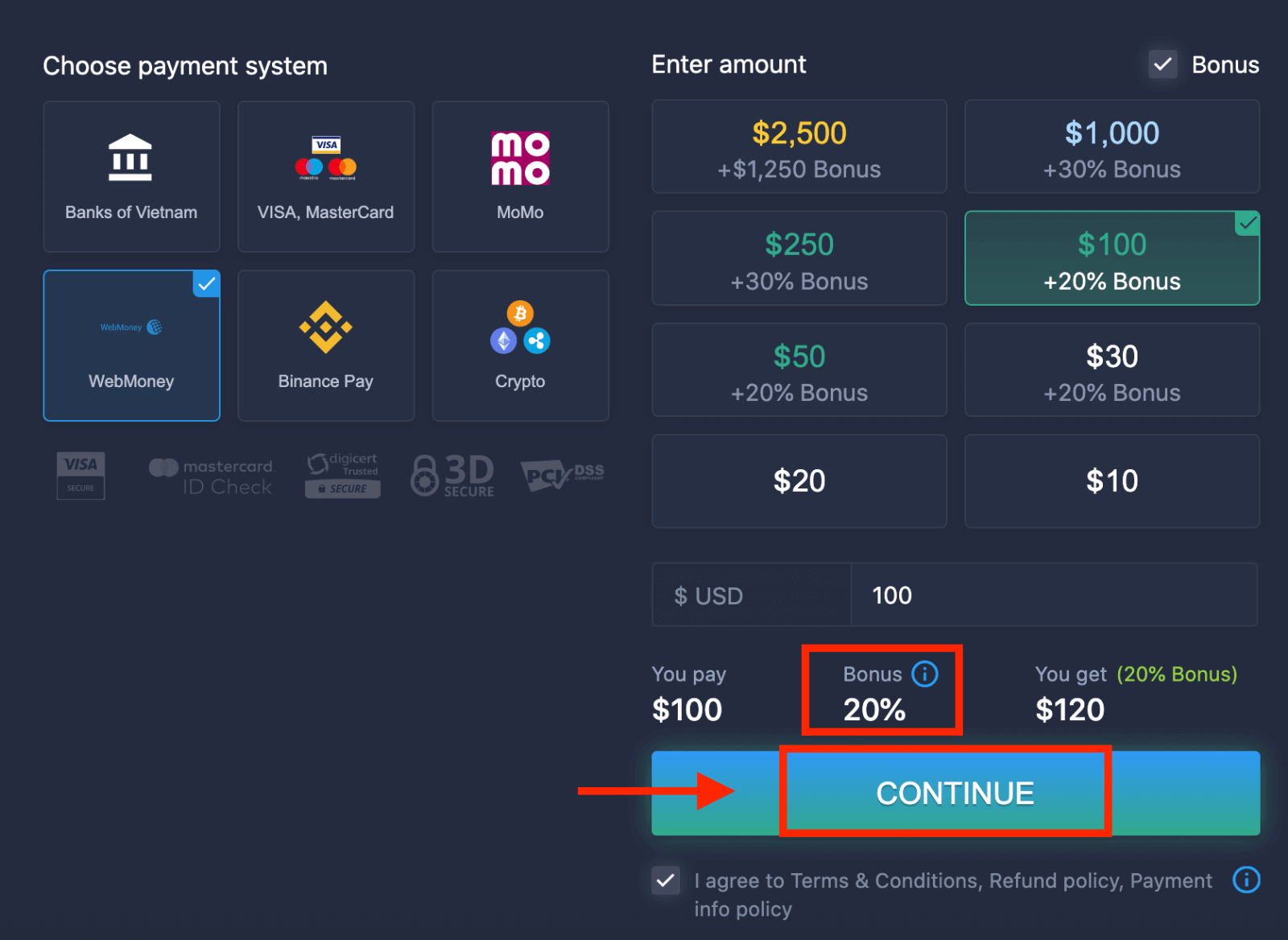 . 您將被重新導向到一個新頁面,您需要在該頁面輸入必要資訊才能向 ExpertOption 存款。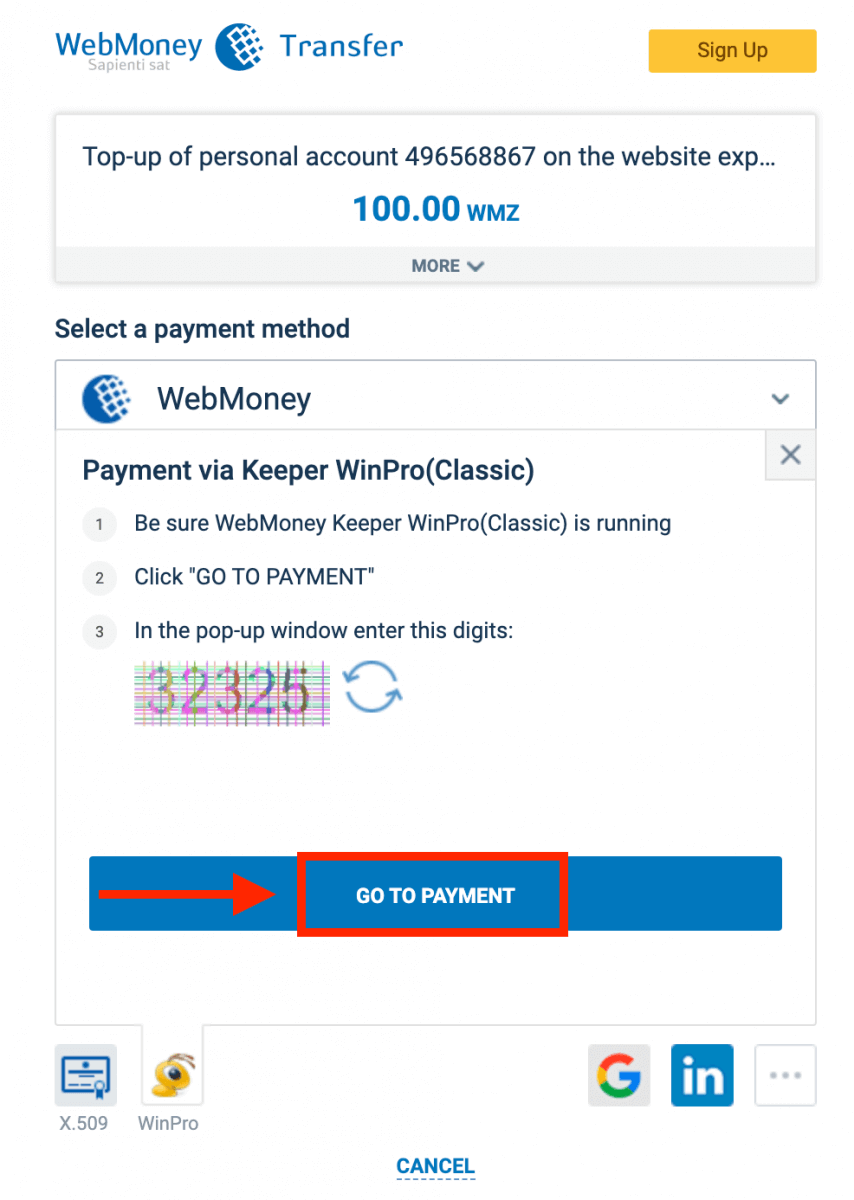
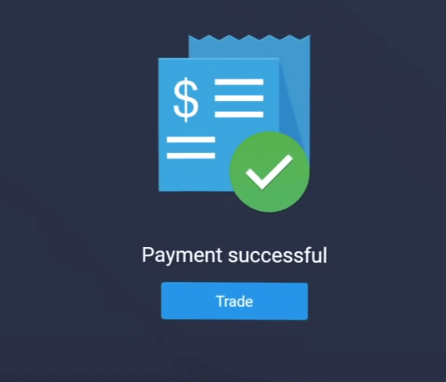
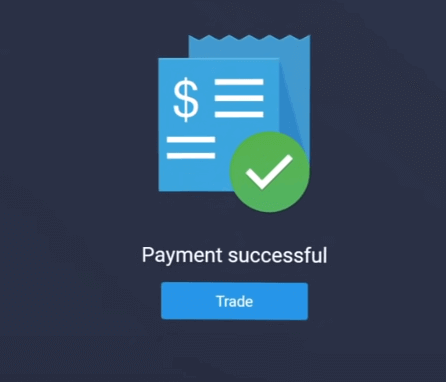
如果交易成功,將會出現確認窗口,您的資金將立即存入您的帳戶。
使用加密貨幣在 ExpertOption 上進行存款
1. 造訪ExpertOption網站或行動應用程式。 2. 登入您的交易帳戶。 3
. 點選左上角選單中的“財務”,然後點選“儲值”。 4
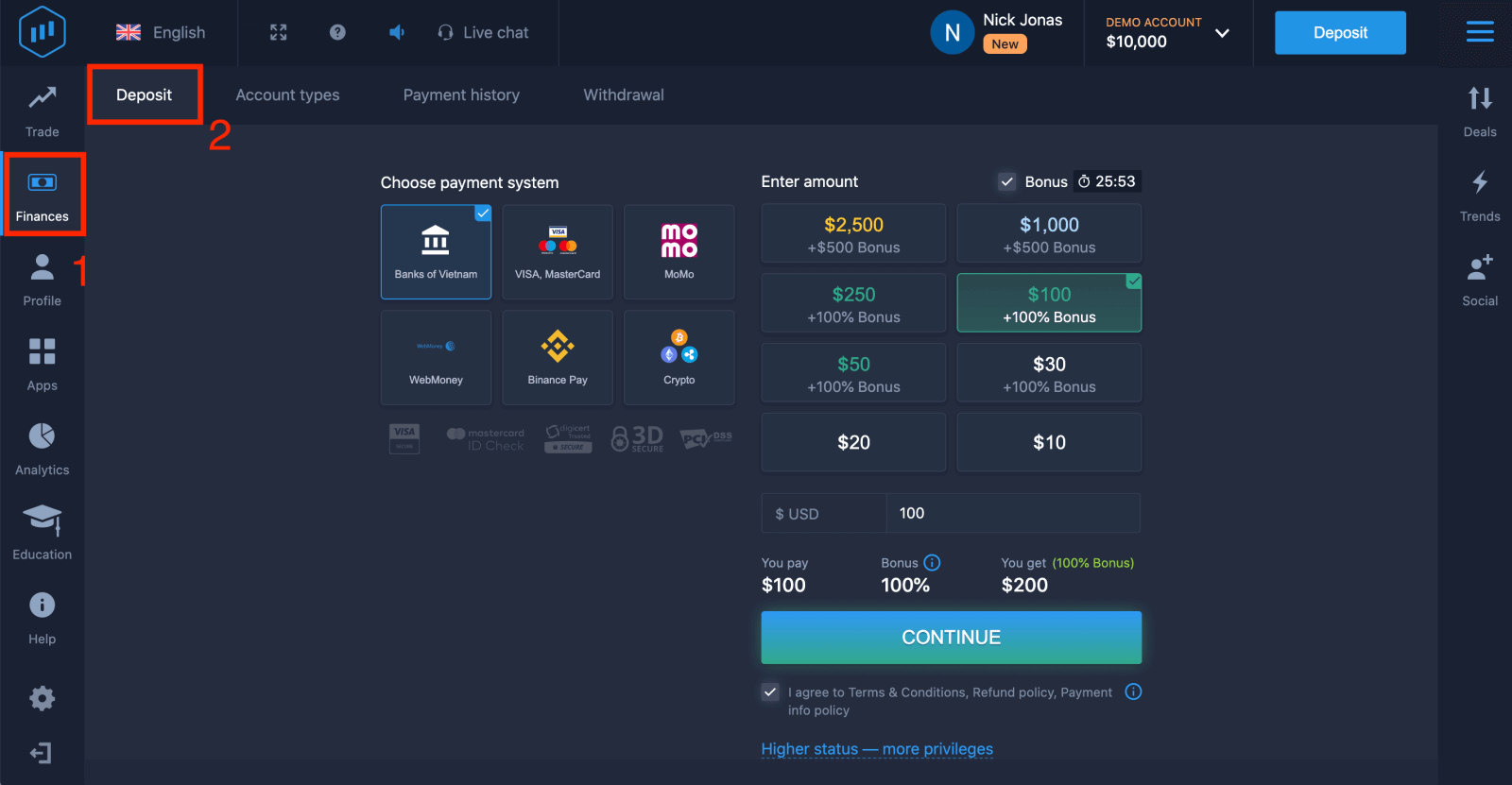 . 選擇「加密貨幣」或「幣安支付」。 5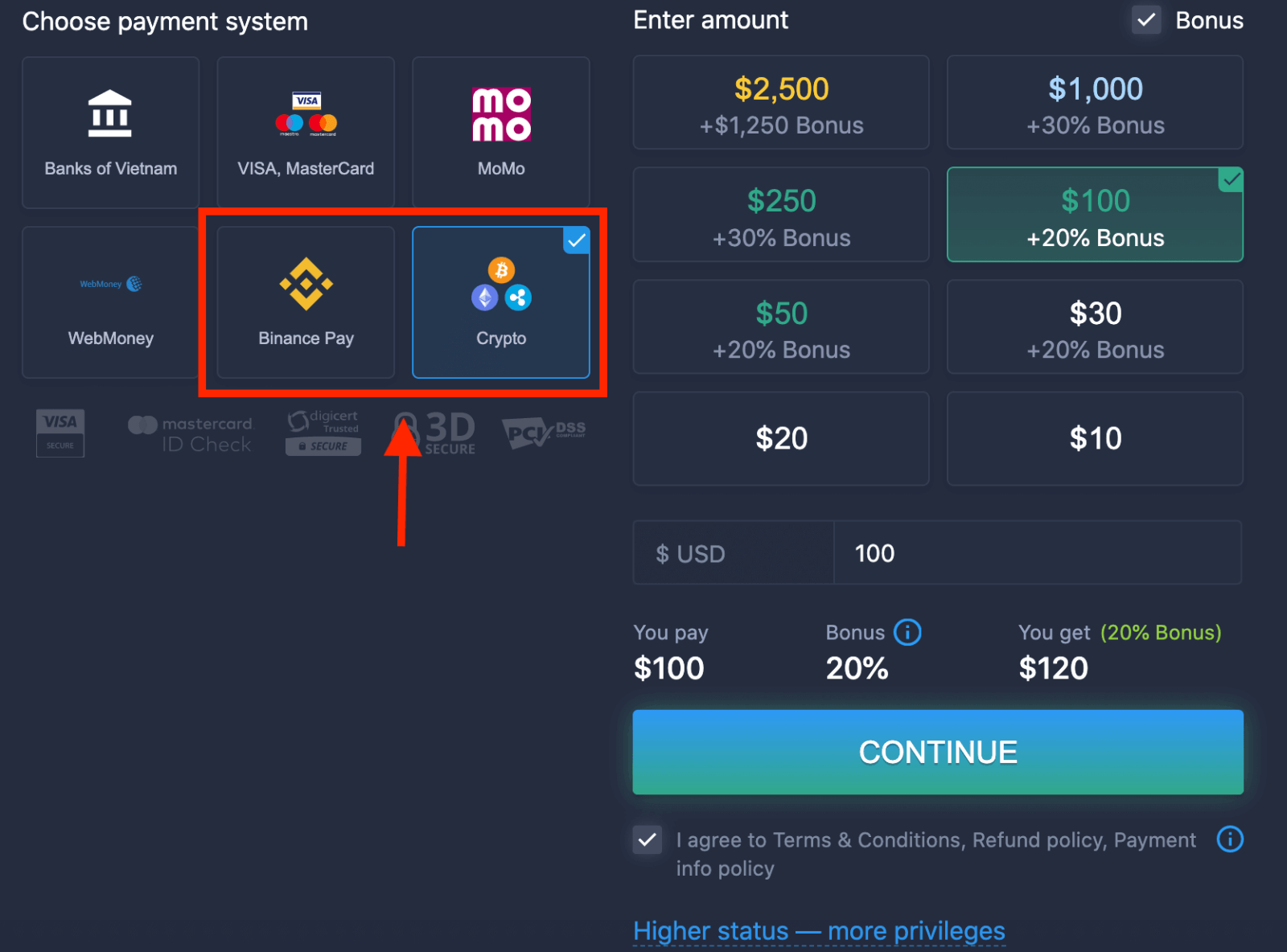
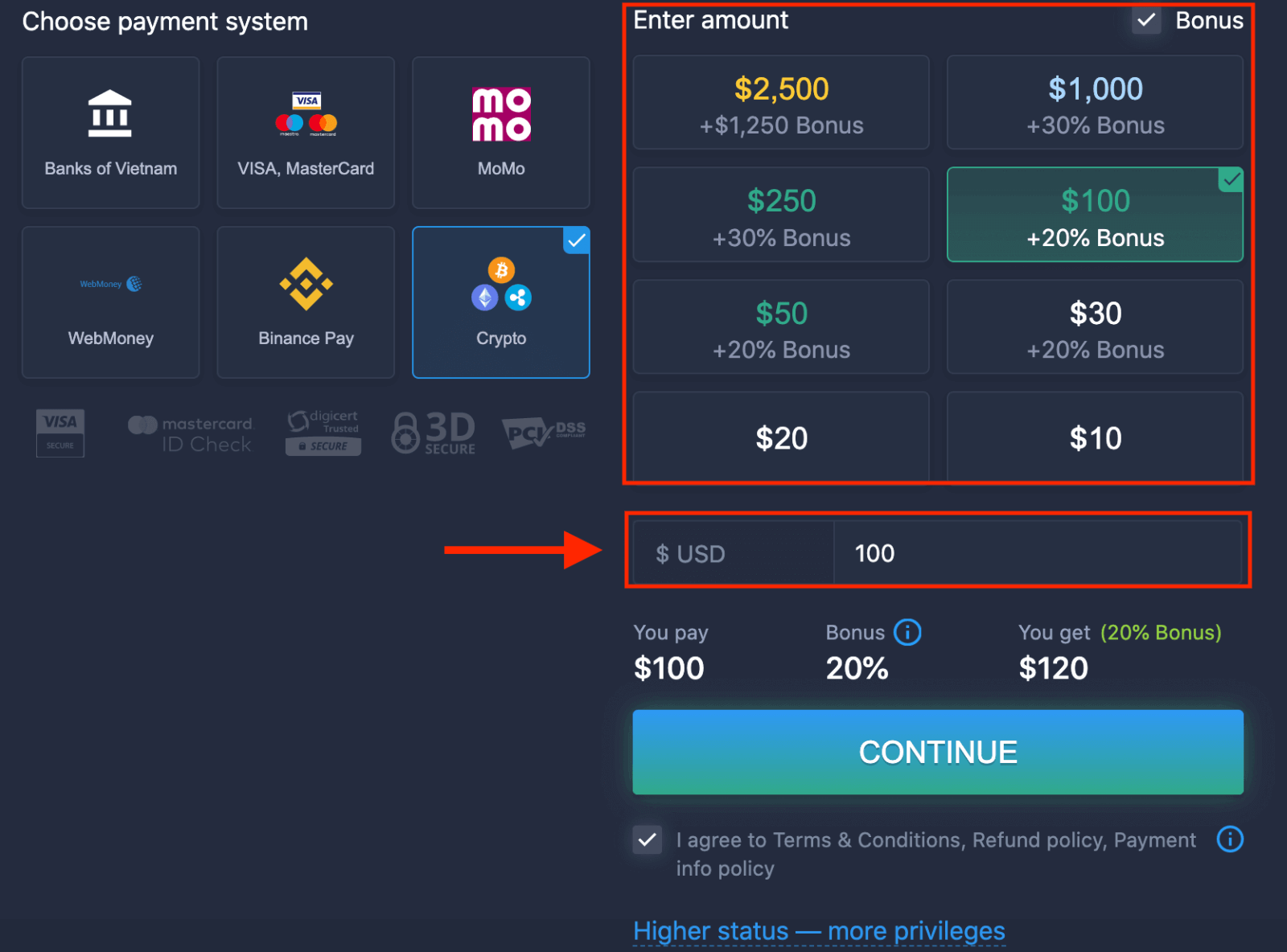
. 您可以手動輸入儲值金額,也可以從清單中選擇。 6
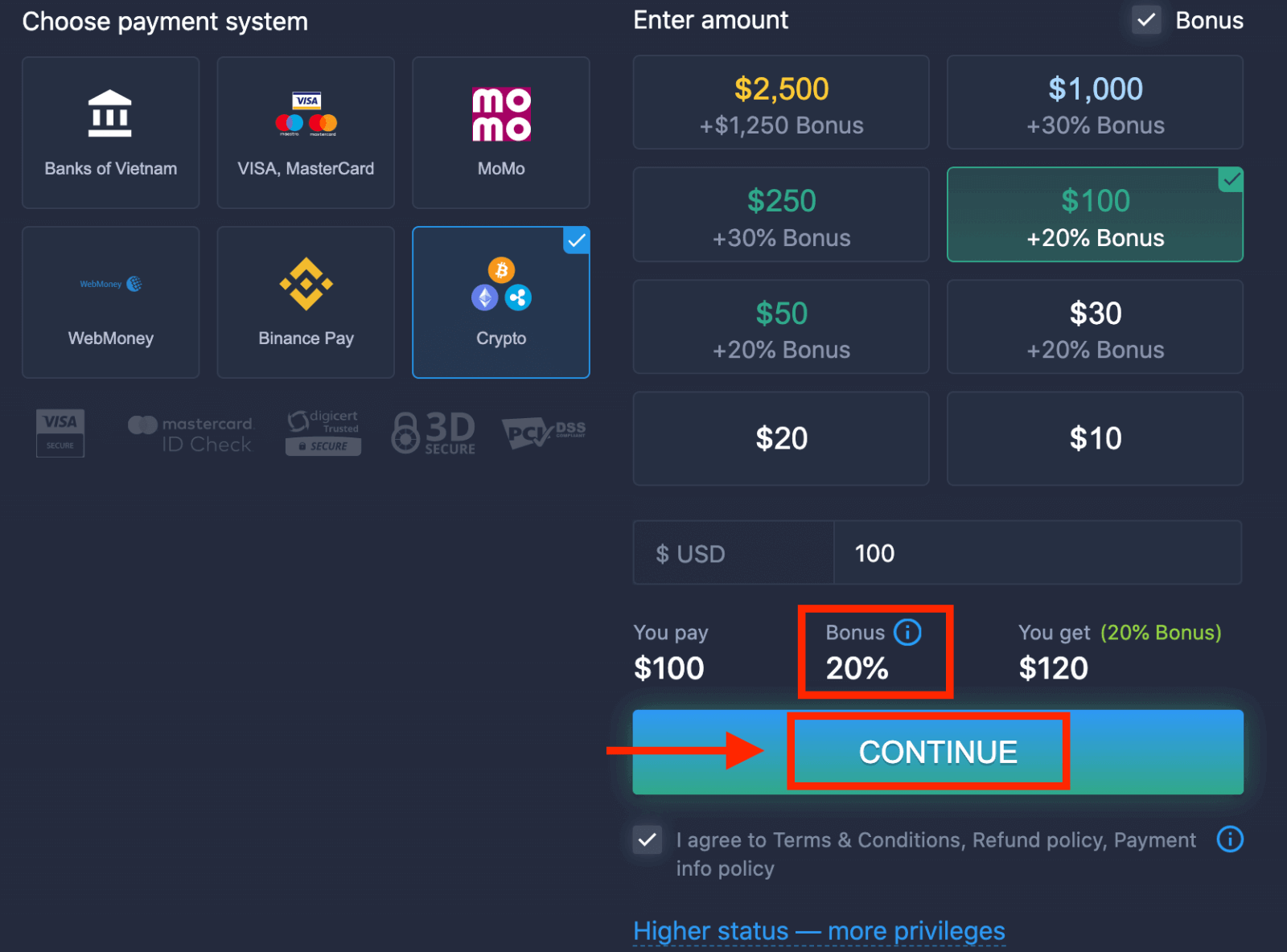
. 系統可能會提供儲值獎勵;請利用獎勵增加儲值金額。之後,點選「繼續」。 7
. 您將被重定向到一個新頁面,您可以在該頁面獲取地址並將加密貨幣準確發送到該地址。您的付款將在網路確認後完成。確認時間可能有所不同,具體取決於 您
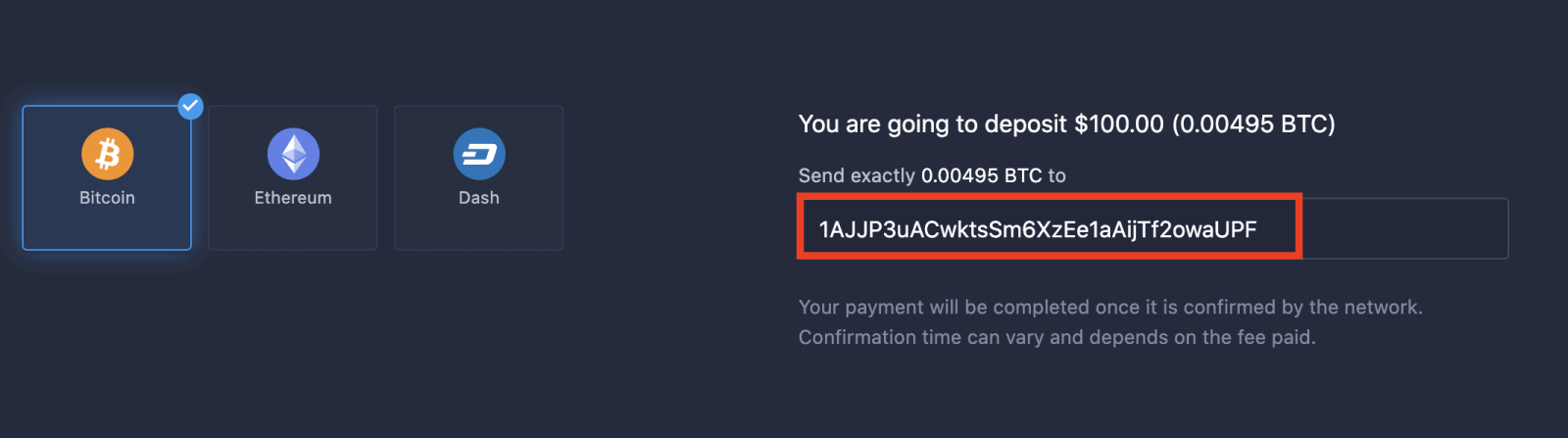
支付的手續費。
地位越高,特權越多
| 微 | 基本的 | 銀 | 金子 | 鉑 | 獨家的 |
適合喜歡輕鬆入門的使用者。準備就緒後,即可升級至更高等級。 |
適合喜歡輕鬆入門的使用者。準備就緒後,即可升級至更高等級。 | 我們的大多數客戶都從銀級帳戶開始。包含免費諮詢。 | 明智的投資從黃金帳戶開始。尊享專屬權益,讓您的帳戶價值最大化。 | 我們為認真的投資者提供最專業的服務和專屬的客戶經理。 | 請向您的客戶經理諮詢更多資訊。 |
|
10美元起
|
如何在ExpertOption上交易二元期權
ExpertOption 的功能
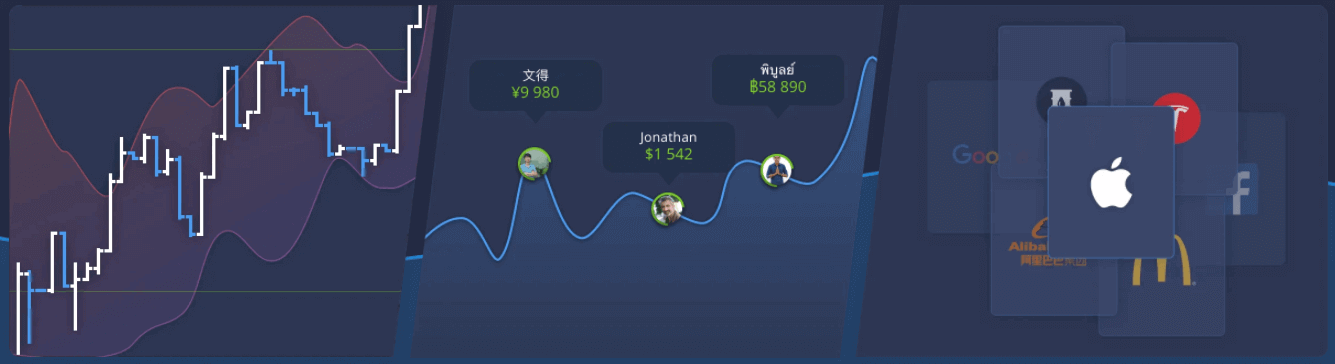
我們運用現代科技提供最快的交易服務。訂單執行零延遲,報價精準無誤。我們的交易平台全天候24小時開放,包括週末。 ExpertOption客戶服務也全天候24小時線上。我們不斷新增金融產品。
- 技術分析工具:4 種圖表類型、8 種指標、趨勢線
- 社交交易:查看全球交易資訊或與好友交易
- 超過100項資產,包括蘋果、Facebook和麥當勞等熱門股票
如何在ExpertOption上開倉交易
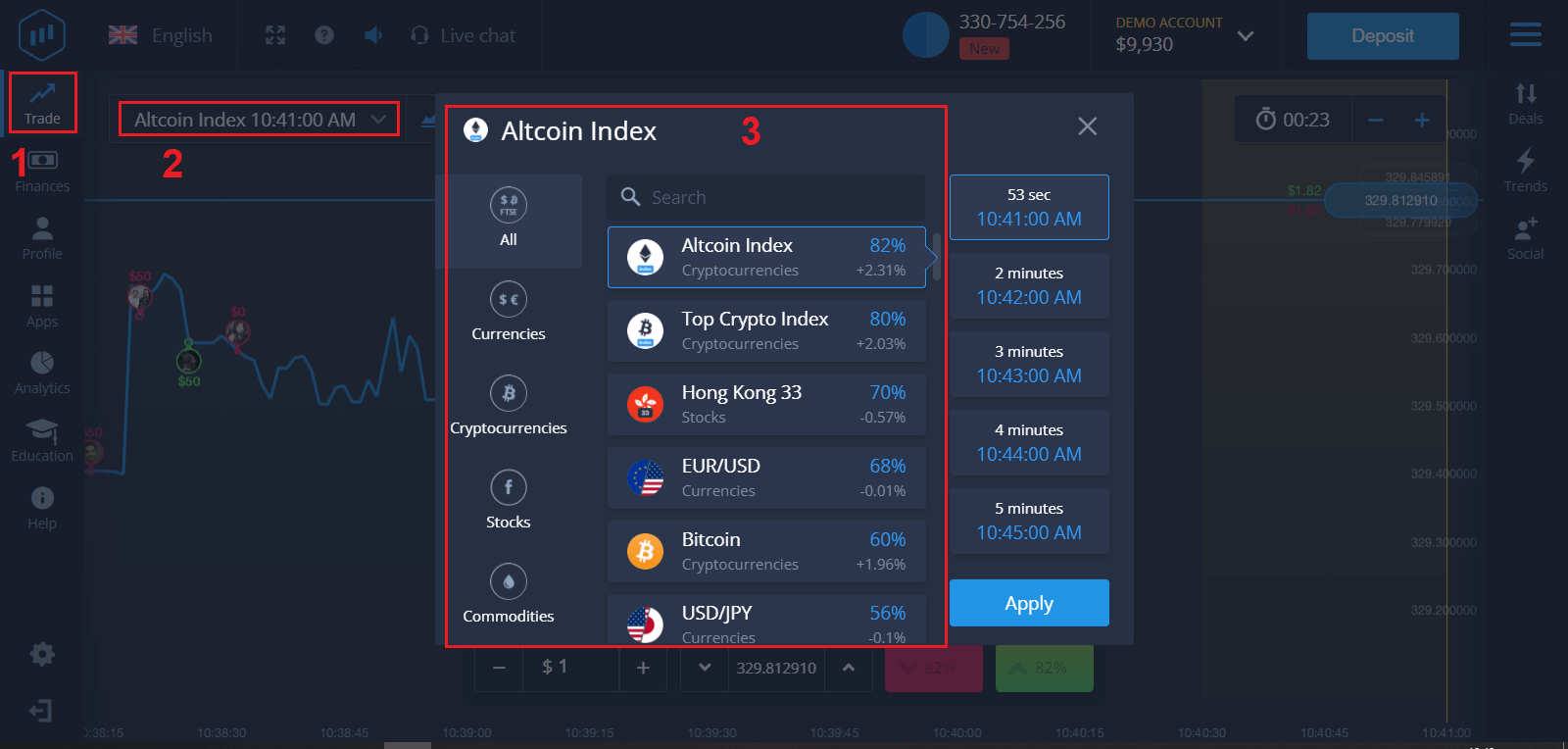
1. 選擇要交易的資產
- 您可以捲動資產清單。您可以交易的資產以白色顯示。點擊資產即可進行交易。
- 百分比決定了其獲利能力。百分比越高,成功後的利潤越高。
所有交易均以開倉時顯示的獲利金額平倉。 2
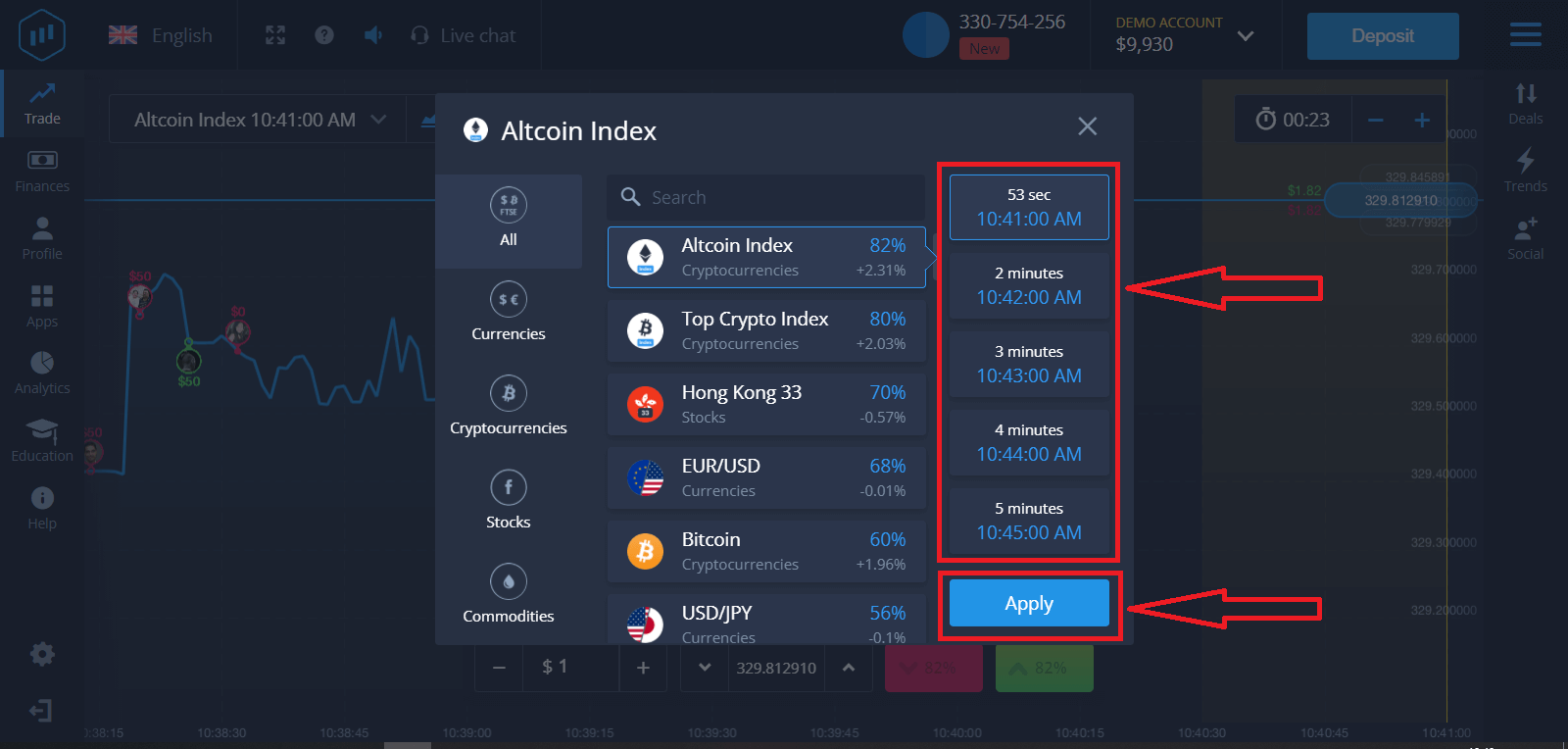
. 選擇到期時間並點選「套用」按鈕。
到期時間是指交易被視為完成(平倉)的時間,之後結果會自動加總。
使用 ExpertOption 進行交易時,您可以自行決定交易的執行時間。 3
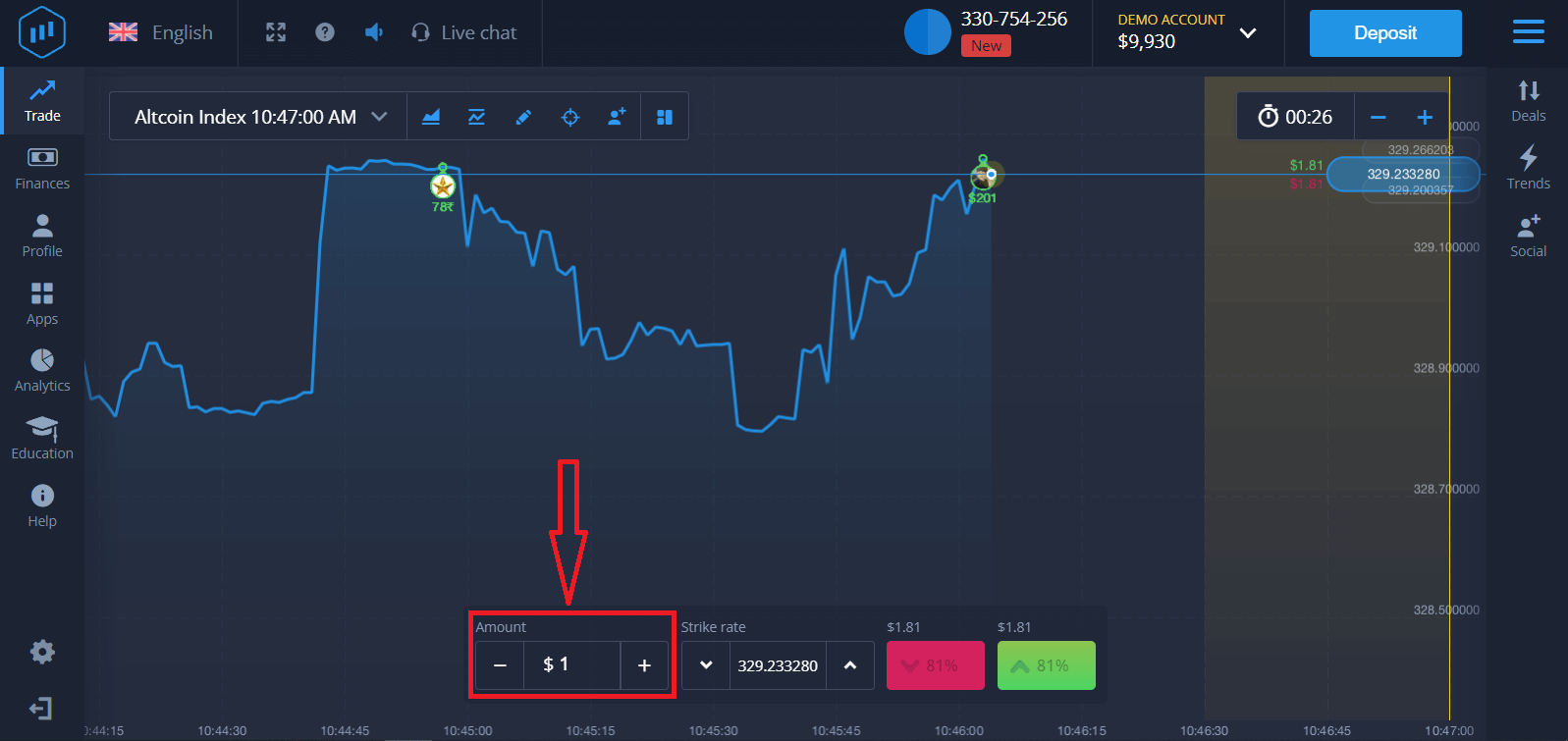
. 設定您的投資金額
。 交易的最低金額為 1 美元,最高金額為 1,000 美元,或等值的帳戶貨幣。我們建議您從小額交易開始,以測試市場並熟悉操作。 4
. 分析圖表上的價格走勢並做出預測
。根據您的預測,選擇“上漲”(綠色)或“下跌”(粉紅色)選項。如果您預期價格上漲,請點選「上漲」;如果您認為價格下跌,請點選「下跌」。 5
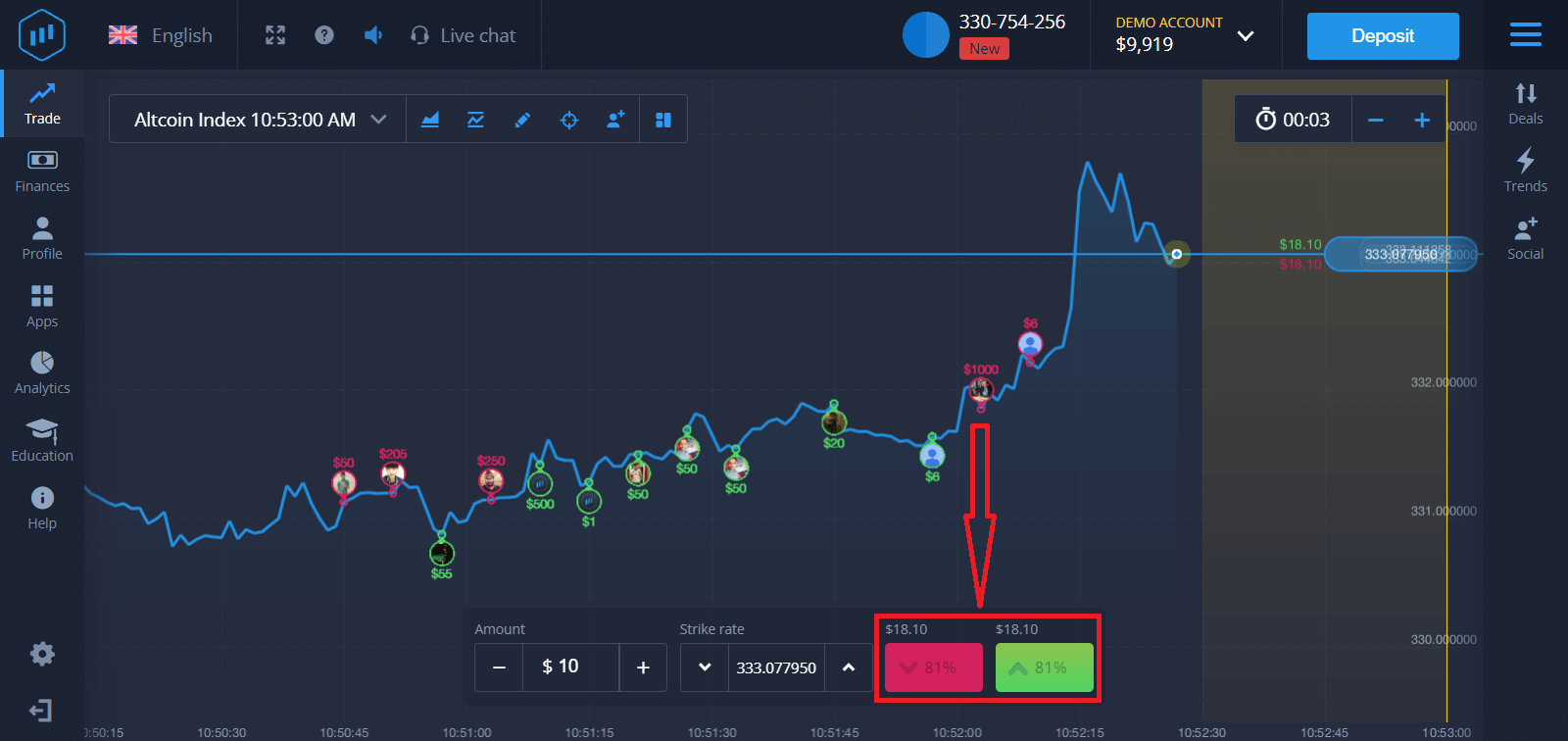
. 等待交易平倉,以驗證您的預測是否正確。如果預測正確,您的投資金額加上資產利潤將會加到您的帳戶餘額中。如果您的預測錯誤,投資金額將不予退還。
您可以在圖表上監控訂單進度
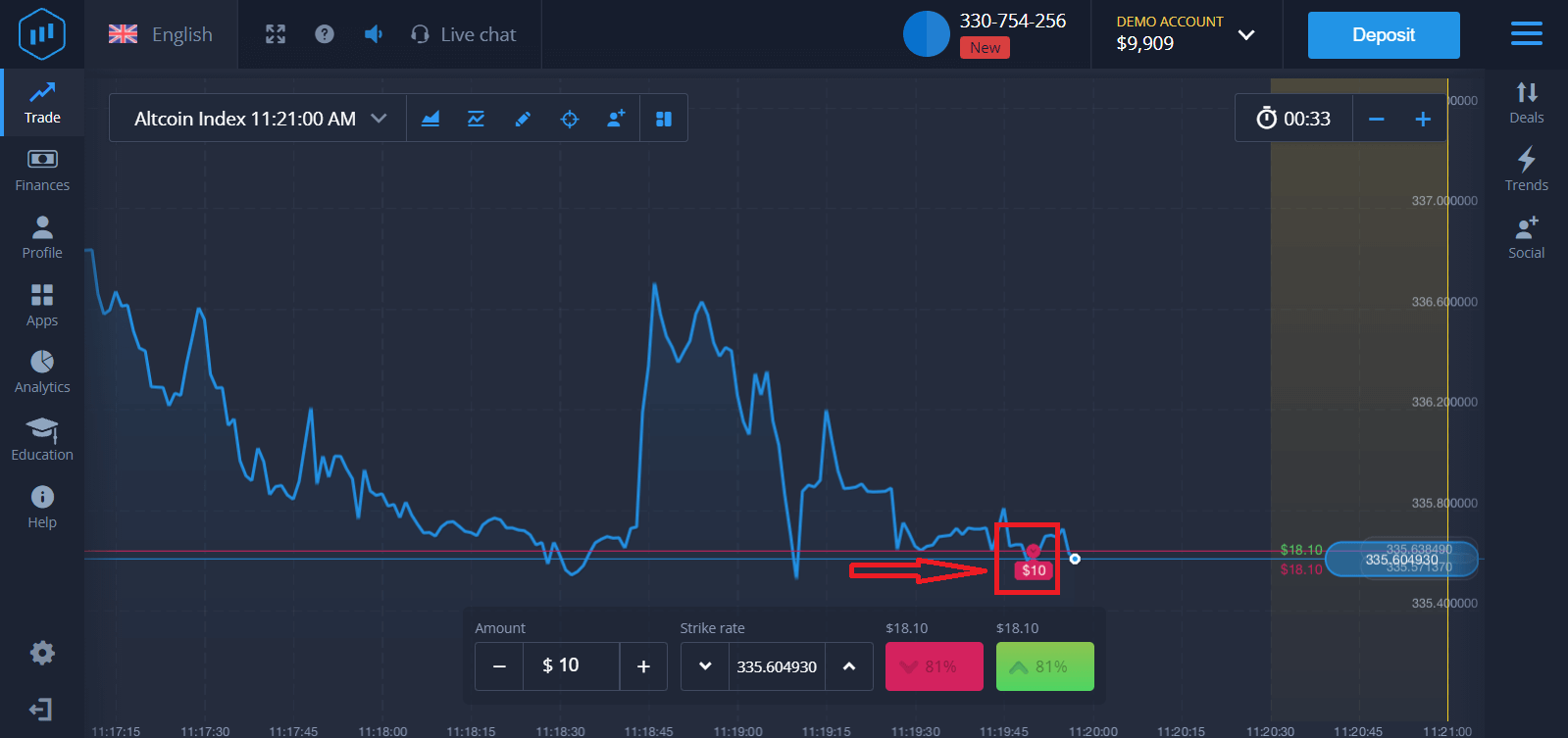
,或在交易清單中查看
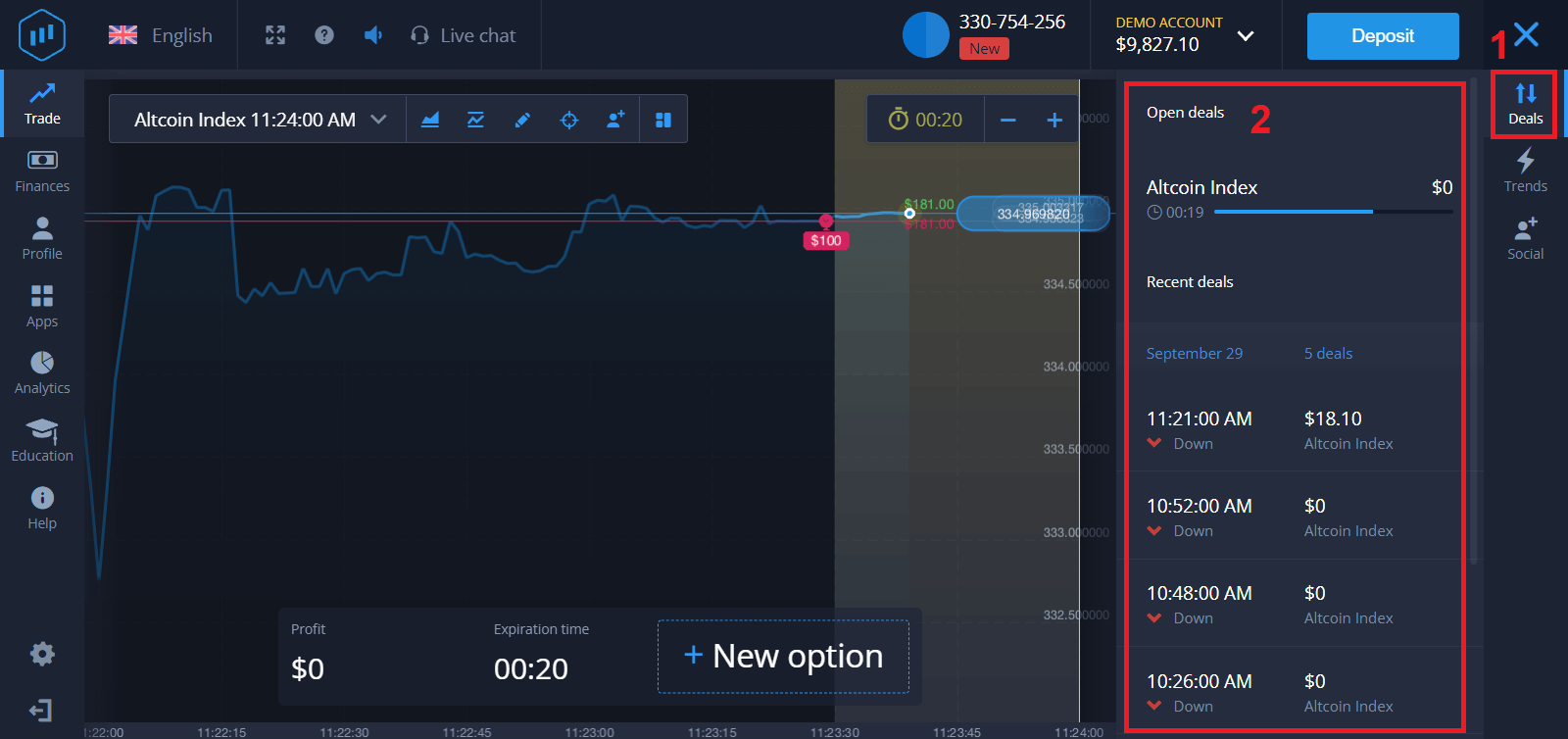
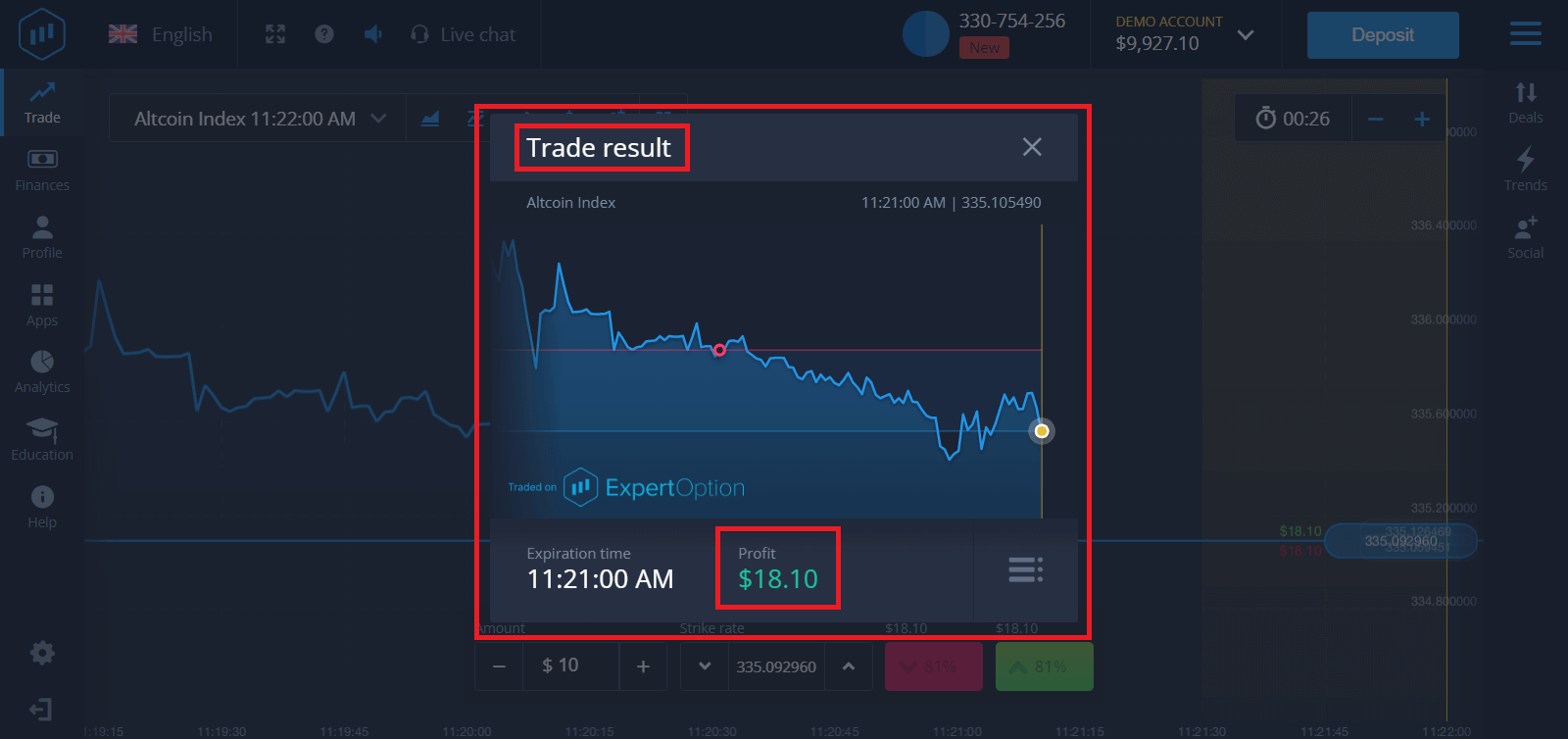
。交易完成後,您將收到交易結果的通知。
常見問題 (FAQ)
我的利潤計算出來了嗎?
交易利潤最高可達投資額的95%。利潤取決於當前的市場狀況。
我最低可以投資多少金額?
單筆交易的最低投資額為 1 美元。
使用我的交易帳戶進行交易是否需要支付佣金?
本公司不會從您的交易中收取任何佣金。但支付系統或支付聚合商可能會收取此類佣金。
結論:立即在 ExpertOption 上開始自信交易
在ExpertOption平台存入資金並進行二元期權交易簡單、快速、安全,是新手和經驗豐富的交易者的理想選擇。透過您選擇的預付方式為帳戶注資,並運用謹慎的分析和策略執行交易,您可以有效地利用二元期權交易的潛力。
不要只是旁觀市場-要採取行動。立即存入資金,分析交易機會,並透過 ExpertOption 開始自信交易。
常見問題解答
最低存款金額因國家/地區和付款方式而異,並在資金流程中顯示在平台上。在確認交易之前,請檢查存款對話框中的確切最低金額和貨幣,以避免拒絕或轉換費用。
登錄,打開存款或註資頁面,選擇付款方式(卡、電子錢包或本地選項),輸入金額和貨幣,提供任何所需的卡或錢包詳細信息,完成任何 3D Secure 或提供商驗證,然後確認。在進行即時交易之前,請等待螢幕上的狀態和電子郵件收據。
常見原因包括卡片或錢包餘額不足、銀行交易付款凍結、個人詳細資料不符、卡片過期或需要 KYC 檢查。驗證您的付款詳細信息,嘗試支援的替代方法,聯繫您的銀行以了解商家限制,在平台上完成身份驗證,並保留交易參考以與支援人員共享。
是的。提款通常需要身分和地址驗證,有時還需要存款方式證明(卡片副本或電子錢包 ID)。儘早完成 KYC-提交 ID 和地址文件可加快審批速度,並防止因合規性檢查而導致提款被凍結或部分付款。
是的。 ExpertOption 提供虛擬資金演示模式,以便初學者可以練習交易入場、到期時間和指標設定。在進行真實存款和冒險資本之前,請使用演示測試策略並了解支出。